
Auto dialer features | Predictive dialer | Progressive dialer
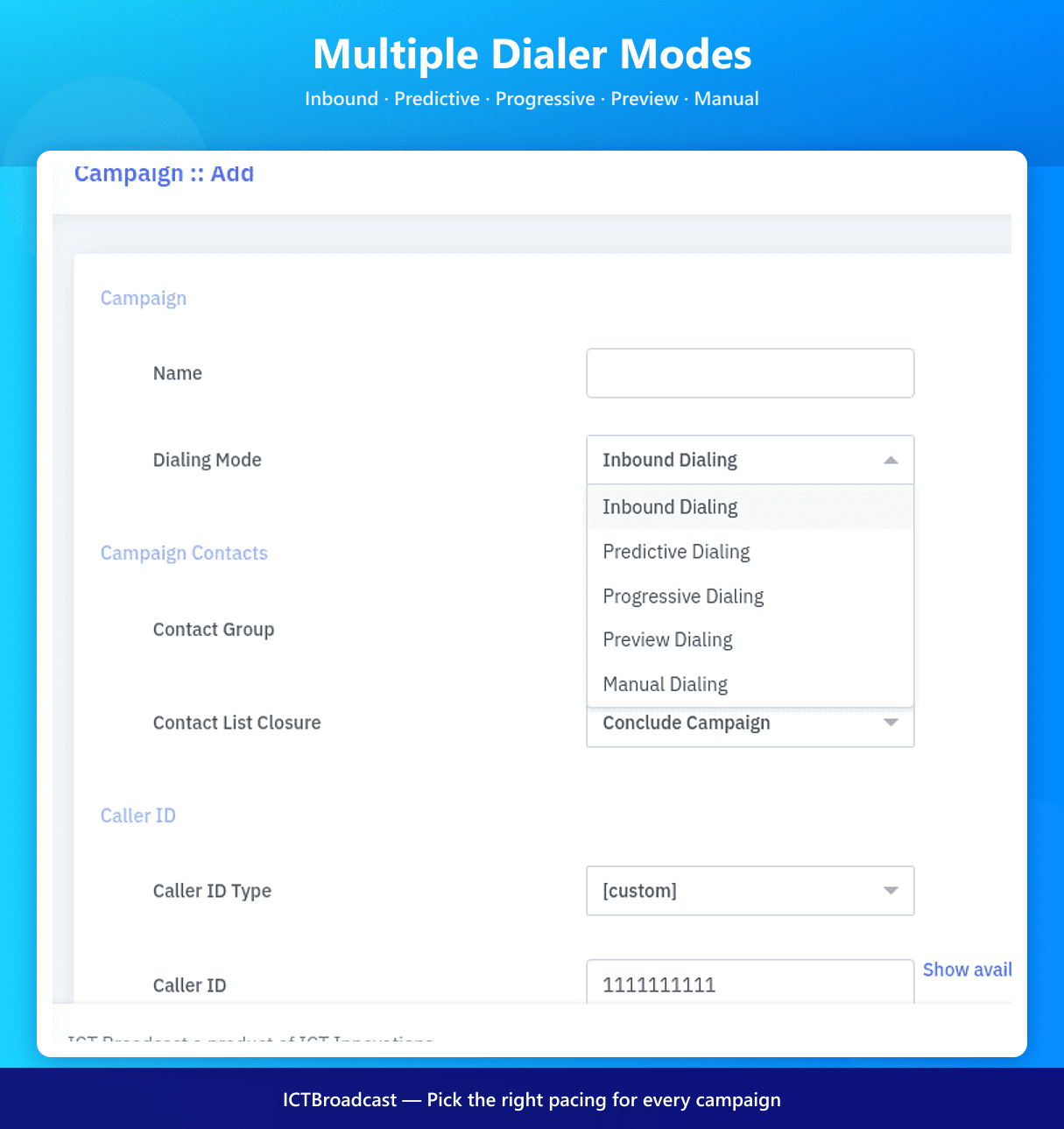
Auto, Predictive, Power & Progressive Dialer Modes
ICTBroadcast supports multiple outbound dialing modes so you can match call pacing to every campaign type. Choose Predictive for high-volume outreach, Power for one-call-per-agent pacing, Progressive for compliant agent-pacing, or Auto for fully unattended broadcasting.
Multi-tenant and Multi-campaign
ICTBroadcast is a web-based multi-tenant package that offers separate web portals for Admin and users and facilitates complete campaign management. Each user can manage, monitor, and run multiple campaigns separately and independently .
White-Label Branding
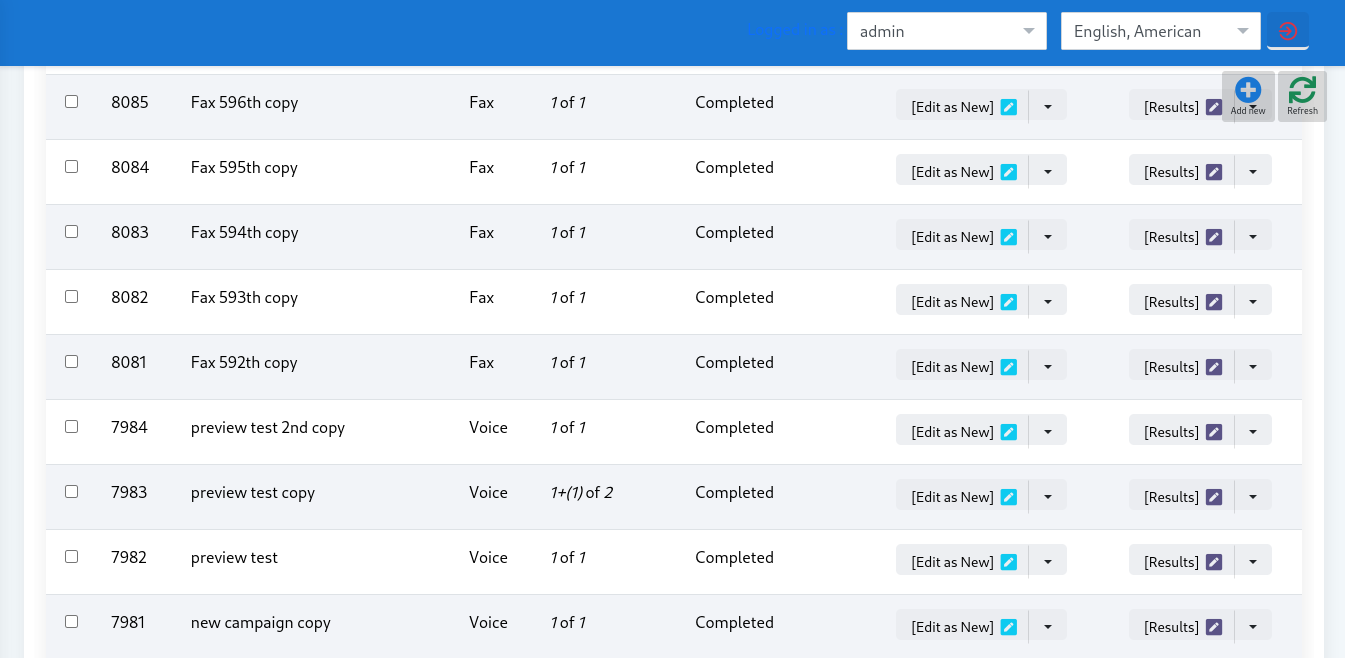
Service providers can fully rebrand ICTBroadcast with their own logo, colors, domain, and login screens. Each tenant sees a portal that looks like your product, making the platform a perfect fit for ITSPs, telecom operators, and resellers offering hosted dialer services.
Unified Broadcasting
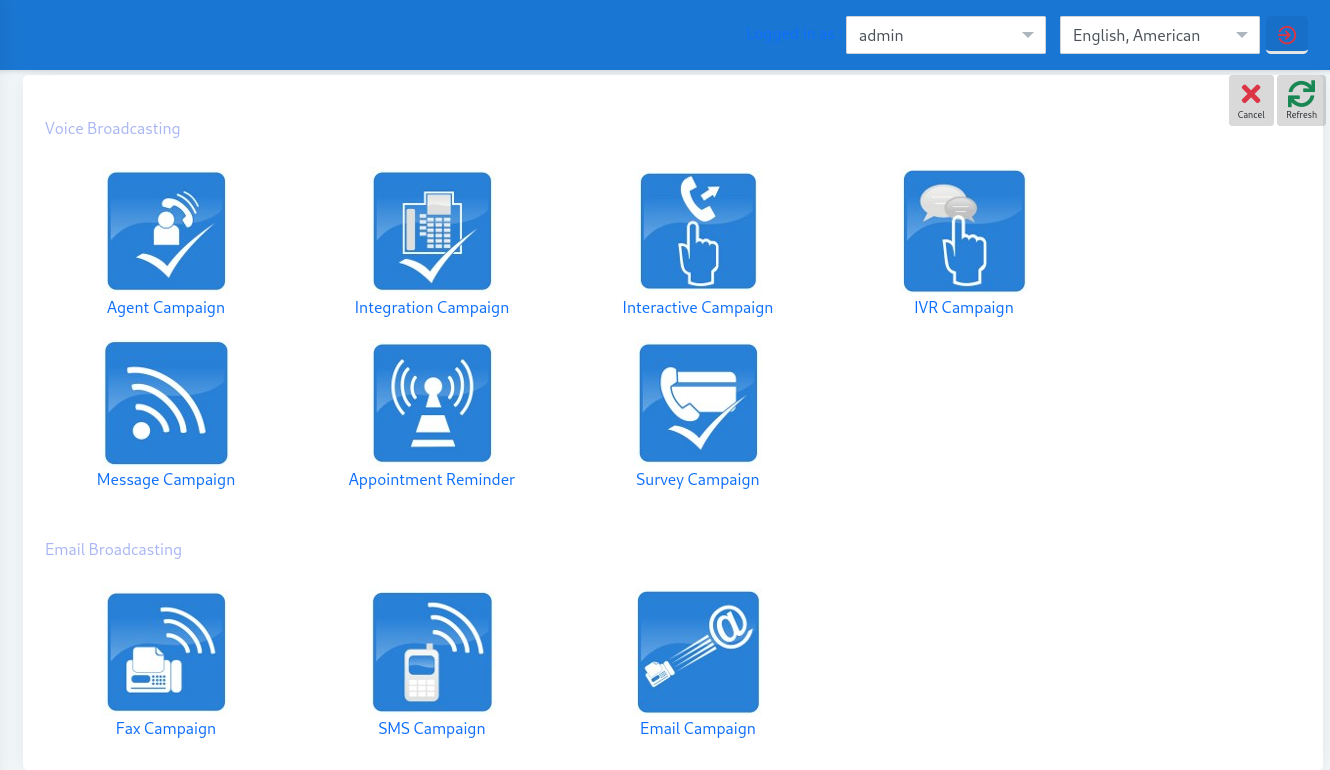
ICTBroadcast is a unified communication autodialer and telemarketing software. It supports bulk Voice, SMS, and Fax broadcasting.
Improved Dashboard
Monitoring system statistics, user campaigns, channel usage, and campaign statistics is fast, efficient, and streamlined. We combined all monitoring needs in one place, allowing Admin to monitor overall system resources, including node, user, and campaign statistics.
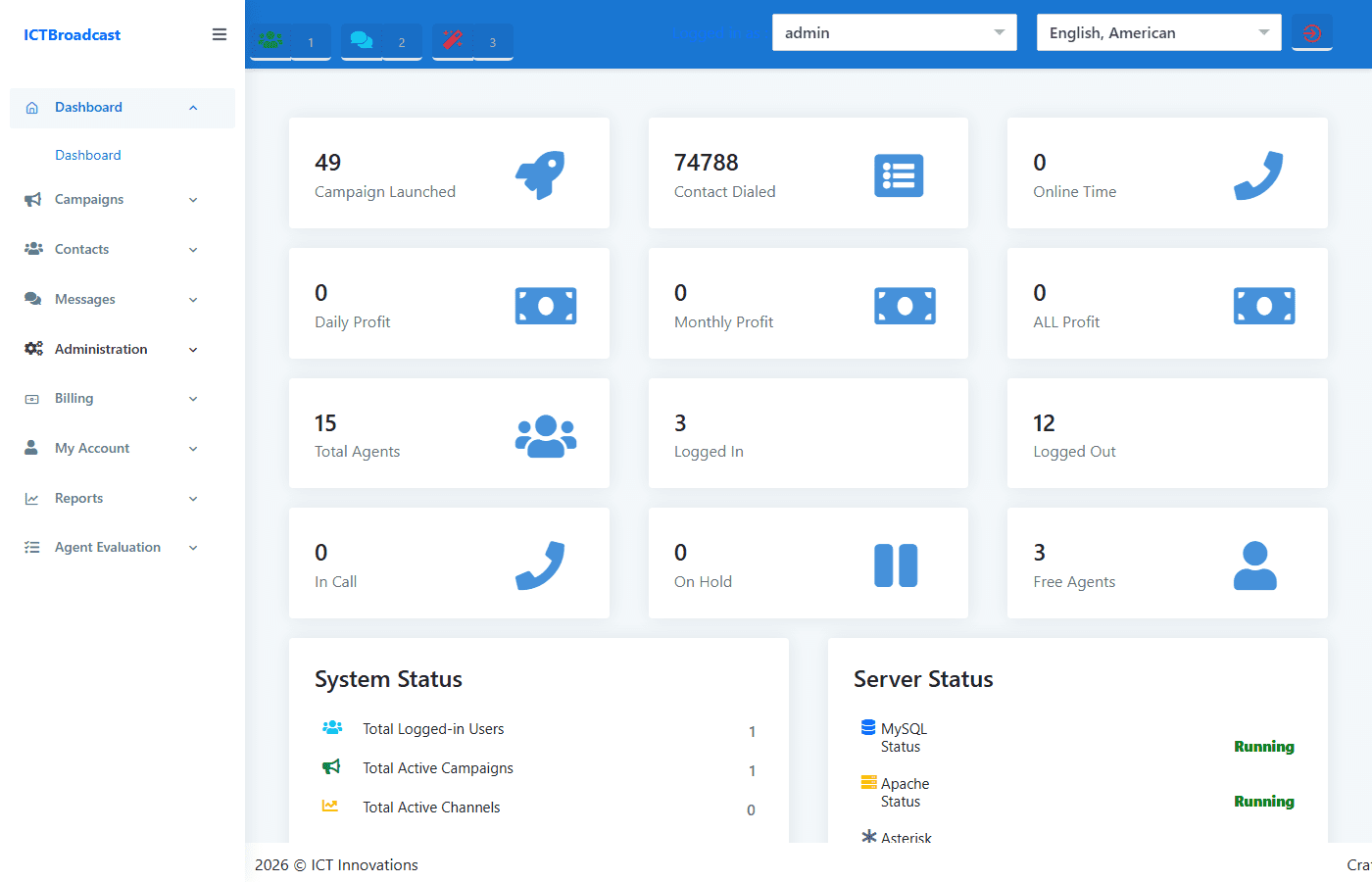
Live Dashboard Statistics & Node Monitoring
ICTBroadcast gives administrators real-time visibility across the entire platform from the dashboard. At a glance you can see campaign launches, contacts dialed, agent headcount broken down by status (Logged In, In Call, On Hold, Free), and per-campaign channel usage with one-click channel limit adjustments without pausing the campaign.
The Node Statistics panel shows CPU usage, memory consumption, and disk utilisation per node — critical for multi-server deployments. Billing operators also see Daily, Monthly, and All-time profit widgets alongside a live list of logged-in users with their current credit balances, so you can monitor spend in real time.
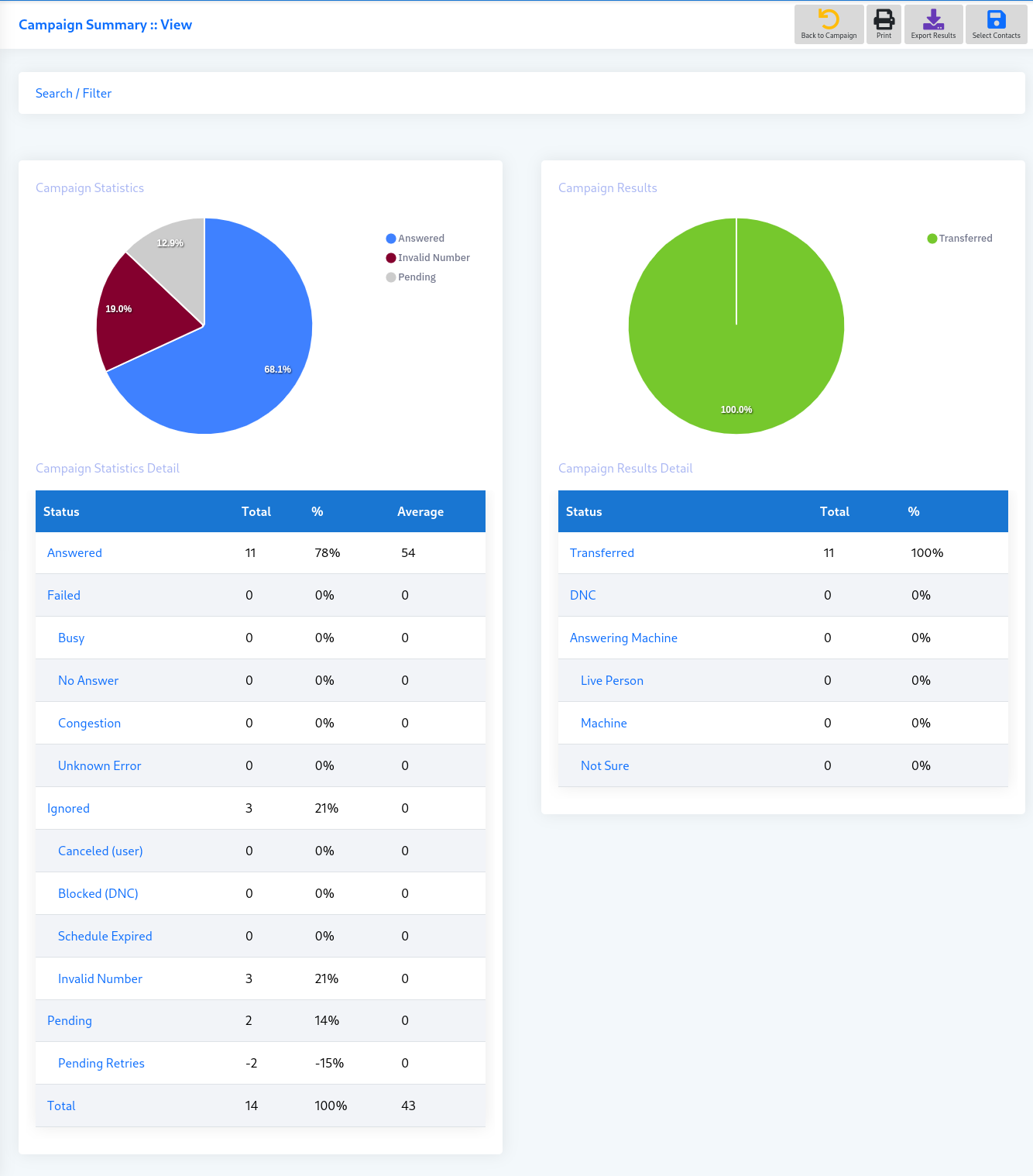
Campaign Statistics and Reporting
ICTBroadcast has chart-based reporting that makes viewing and analyzing a campaign much easier. You can now view the contact details of those who answered your call, and of those where the call failed (due to Busy, No Answer, Congestion, or Unknown error). You can export these contact lists for further processing.
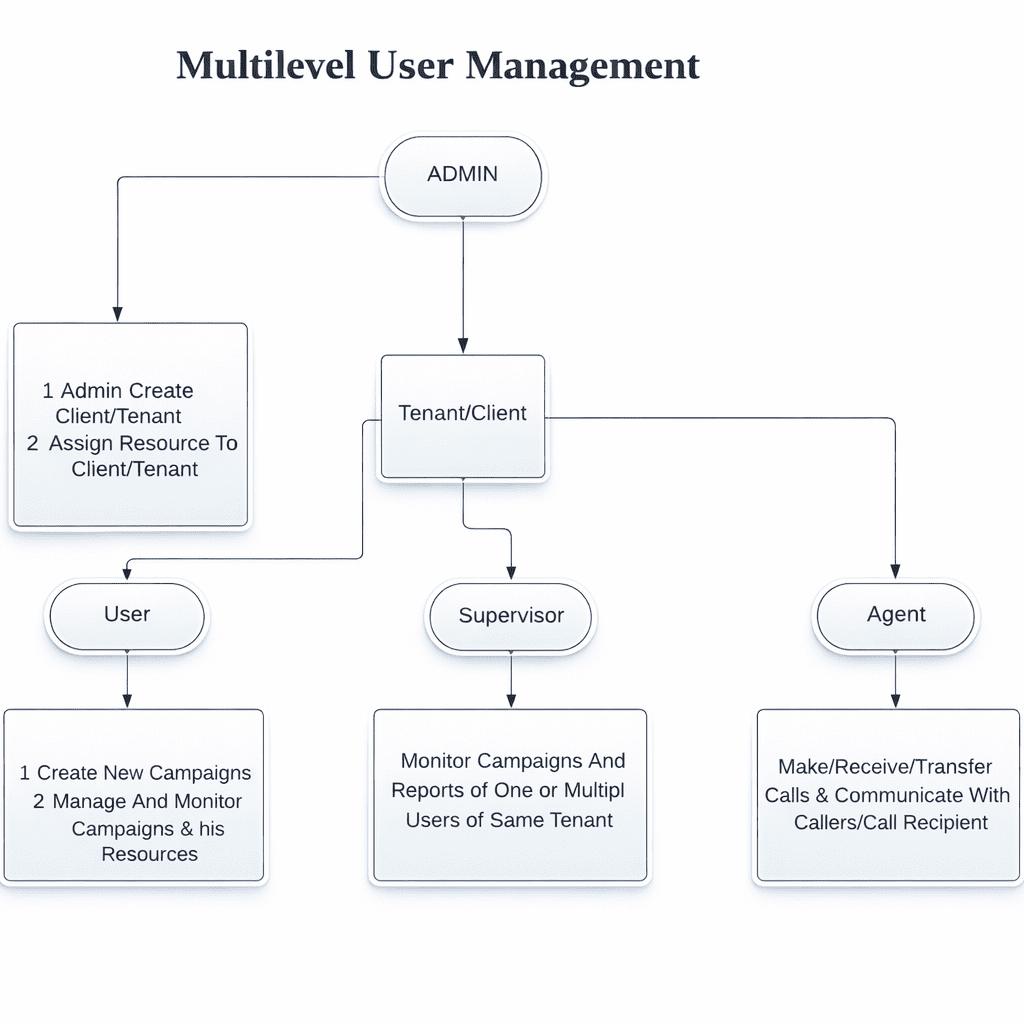
Advanced User Management
ICTBroadcast supports advanced user management features like user switching, balance management, real-time billing, live monitoring, and
managing user campaigns. Admin can also manage system
resources in an efficient and easy manner, including assigning or de-assigning extensions and DIDs to users.
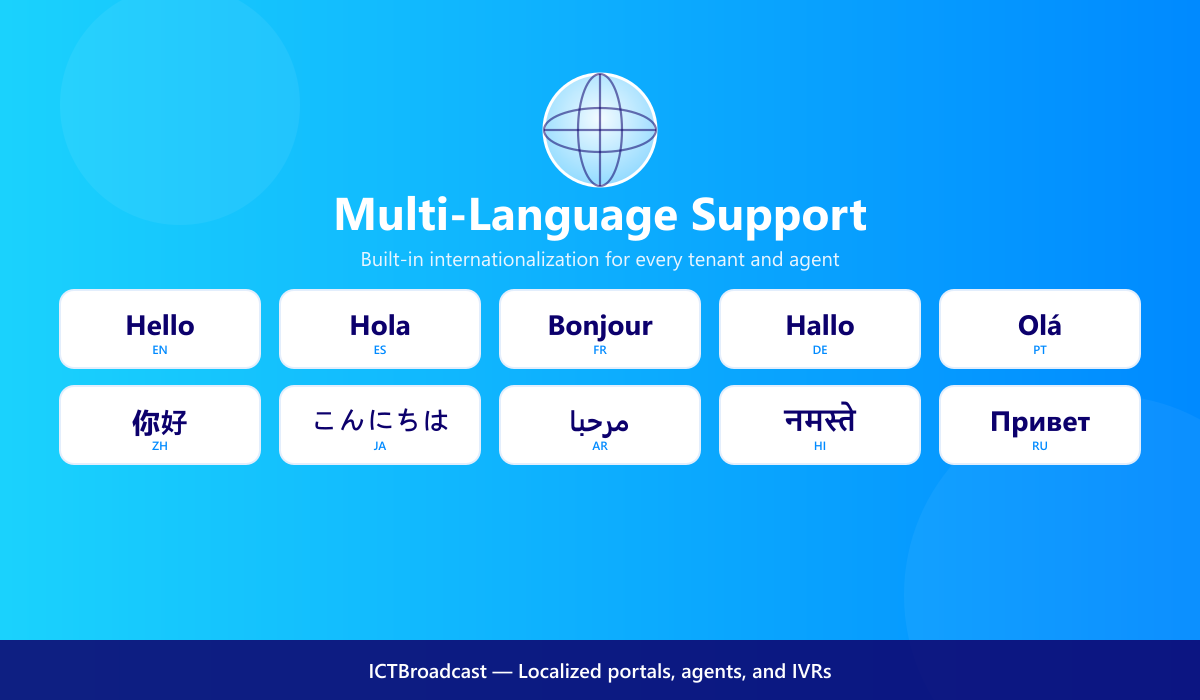
Multi-Language & Internationalization
ICTBroadcast ships with built-in support for many of the most-used web languages and can easily be extended to support additional locales. Tenants and agents can work in their preferred language without separate installs, helping you sell into global markets from a single platform.
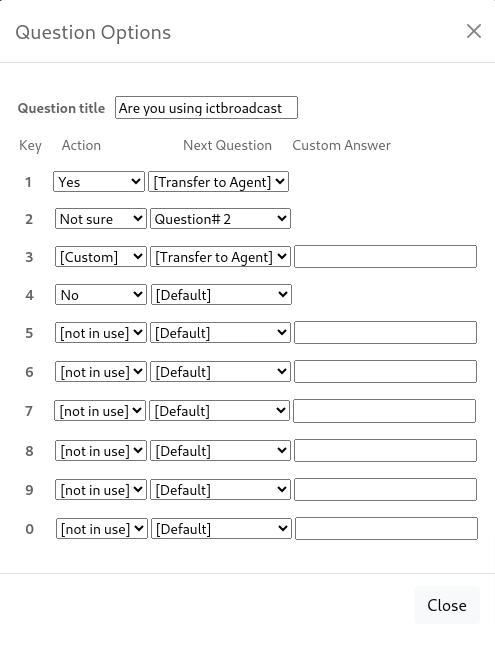
Surveys and Polls
ICTBroadcast offers a survey campaign feature that enables you to run voice-based surveys asking recipients multiple questions, and then creating useful reports from the survey responses.ICTBroadcast, Auto Dialer software has a survey campaign for telephone surveys and polls. This auto dialer software automatically dials a list of numbers and asks them a set of questions that they can respond to, by using their telephone keypad. You can schedule when to make calls, record your questions using ICTBroadcast voice recording features, and run a campaign. You can view graphical charts and reports for your survey campaign and analyze recorded responses from your prospects.
Report Builder & Advanced Analytics
Beyond the standard report menu, ICTBroadcast includes a Report Builder that lets administrators compose custom CDR queries — picking any combination of fields, date ranges, campaigns, agents, and dispositions — and export the results to CSV for analysis in any BI tool.
The Disposition Statistics report adds a workforce lens: it breaks down every call by disposition outcome alongside agent break time, break reasons (Away, Lunch, Meeting), scheduled callbacks, and sales calls in a single exportable grid. The Task Report tracks scheduled tasks and follow-ups across campaigns.
For live oversight, the Live Statistics report shows every agent currently logged in, their login duration (Login Age), current call status, and lets supervisors Force Logout any agent session remotely — no phone call needed.
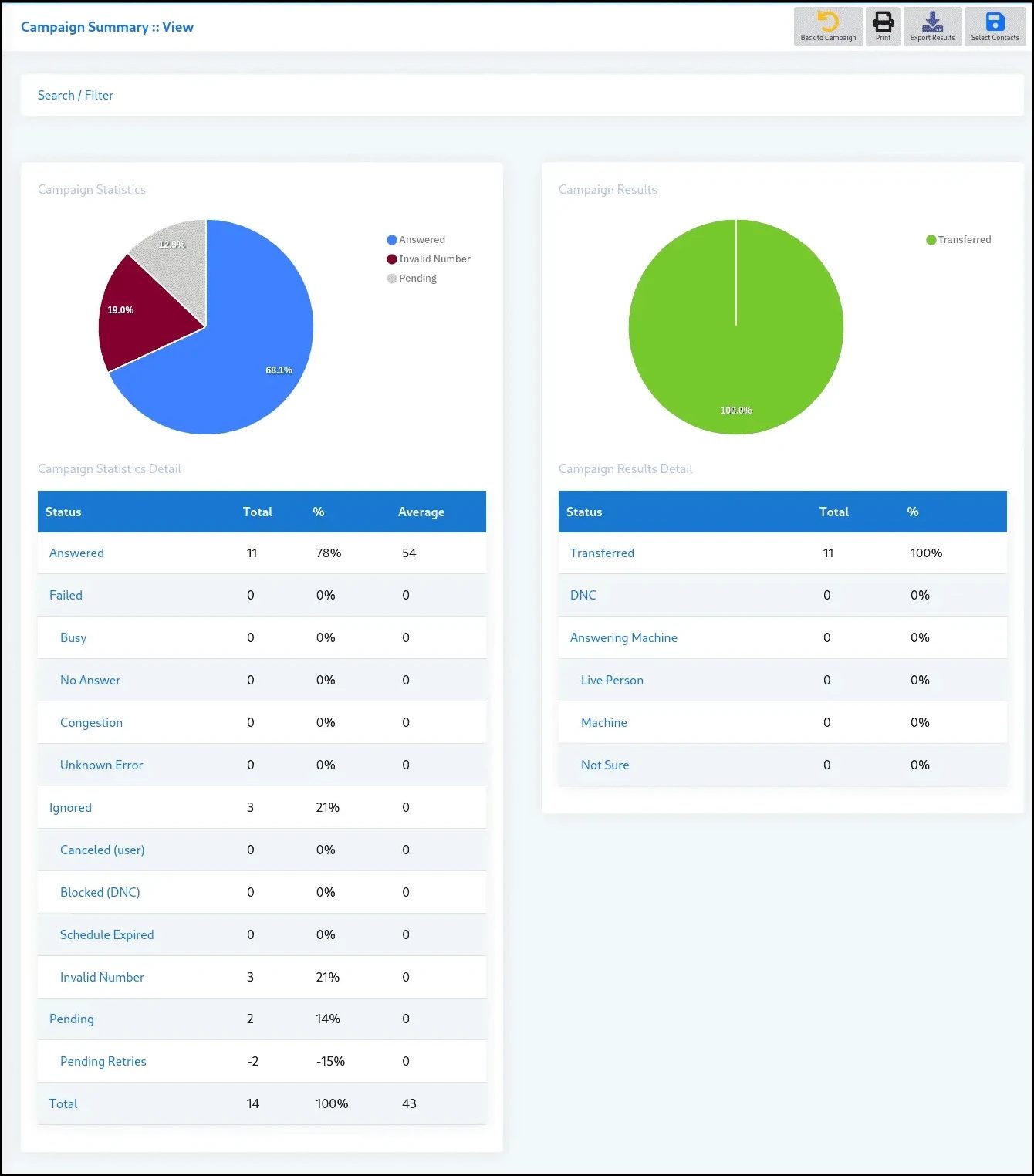
Live Monitoring
ICTBroadcast provides a complete monitoring system. Admin can monitor active users load, live calls, and gateway loads, as well as system and campaign statistics.
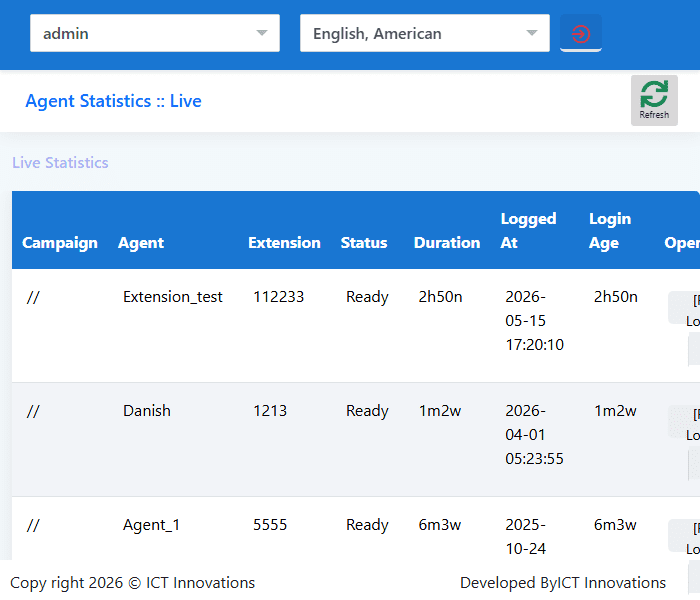
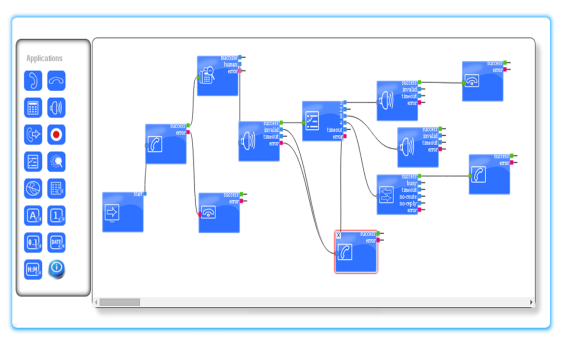
Improved Web-based IVR Designer
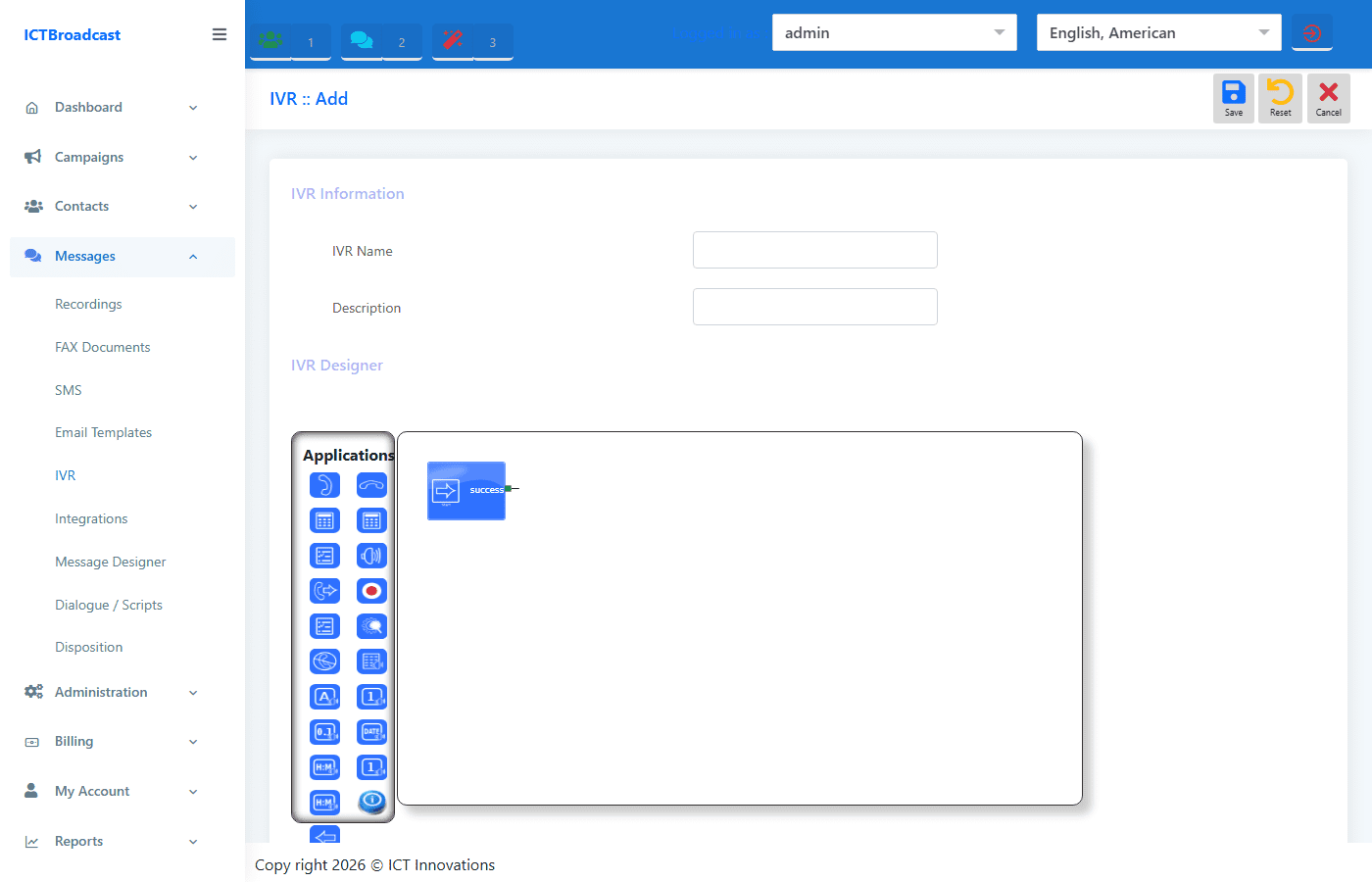
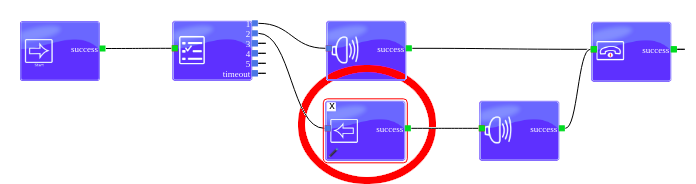
ICTBroadcast is bundled with a web-based IVR Designer enabling you to design your custom IVR menus as you choose, with our simple Drag and Drop feature. ICTBroadcast then plays these IVRs to your customers.
IVR Designer — 14 Node Types
The drag-and-drop IVR Designer ships with 14 ready-to-use node types so you can build any call flow without writing code:
- Call Answer / Call Hangup — start and end the IVR session
- Get Input — collect keypad digits from the caller
- Condition / Time Condition — branch by contact field value or day/time window
- Play Audio / Play TTS — play a recording or synthesise speech on the fly
- Options Menu — present a numbered menu and route by selection
- Call Transfer — forward to an agent, extension, or skill group
- Call Record — start recording mid-flow
- AMD — detect answering machines inside the IVR, not just at campaign level
- DNC — add the caller to the Do Not Call list from within the flow
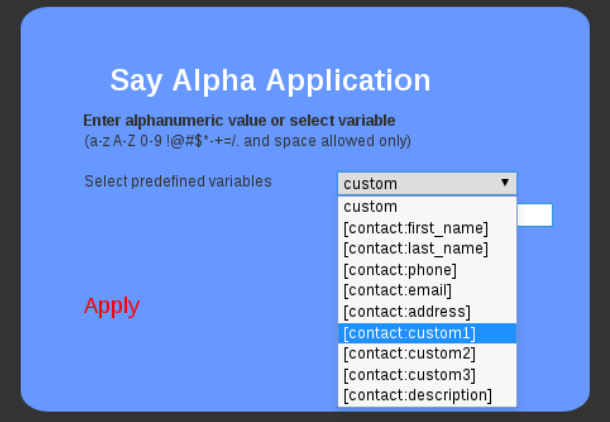
- Say Alpha / Digit / Number / Date / Time — read back dynamic values
- Send DTMF / Add Delay / Set Caller ID — fine-grained telephony controls
- Integration API — call an external REST endpoint mid-flow and branch on the response
Every node connects visually. No coding required.
Contacts Management
ICTBroadcast boasts excellent contact management and filtering system. You can categorize and manage contacts destination-wise, filter duplicate and invalid contacts, and also import contacts from external files in CSV format.
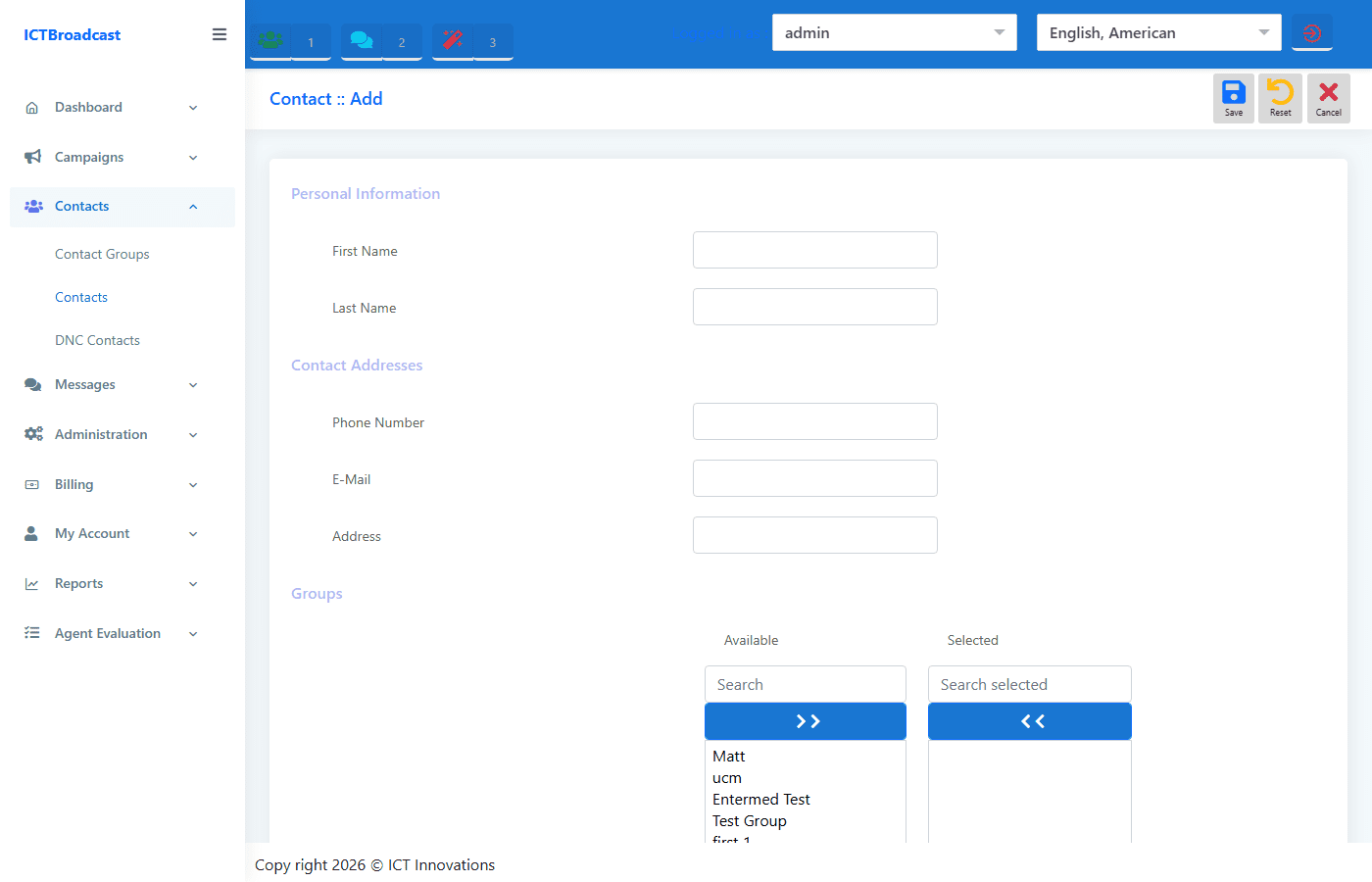
Custom Contact Fields & Personalisation Tokens
Each contact record in ICTBroadcast supports eight custom value fields (Custom Value #1 through #8) in addition to the standard name, phone, email, and address fields. Agents can view and update these fields directly from the agent panel during a live call, keeping your contact database accurate without a separate CRM import cycle.
Custom values are also available as personalisation tokens inside IVR flows, SMS templates, and email templates — so you can reference account numbers, appointment types, or any other data point in the message itself. Combine this with the contact filtering and CSV import to segment lists and tailor every outreach.
Scheduling
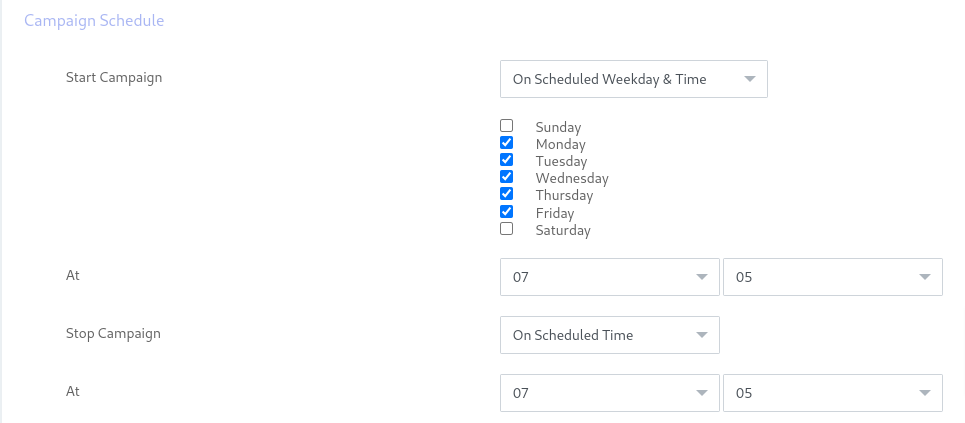
You can schedule campaigns and can set a campaign to start and stop on a particular date, or time, as well as setting days of the week. Campaigns will automatically start and stop on the specified day and time.
Campaign Default Settings & Compliance Controls
The Campaign Default Settings page gives administrators a single control panel for all campaign-level defaults: key timeout duration, DNC opt-out key, default caller ID, maximum simultaneous channels, retry attempts, ring time, and dialing order (Primary / Secondary / Tertiary contacts).
Key compliance controls available here:
- Block Cell Phone toggle — automatically exclude mobile numbers from outbound dialing to reduce TCPA exposure
- Max Call Duration — cap the length of any single call to protect against billing overruns
- Max Ring Time — drop unanswered calls faster to free channels for productive contacts
- Default Dialing Order — configure whether the system dials Primary, then Secondary, then Tertiary phone numbers per contact, and whether it repeats the cycle on retry
All settings apply as defaults across new campaigns, and can be overridden per individual campaign.
Integration with remote applications
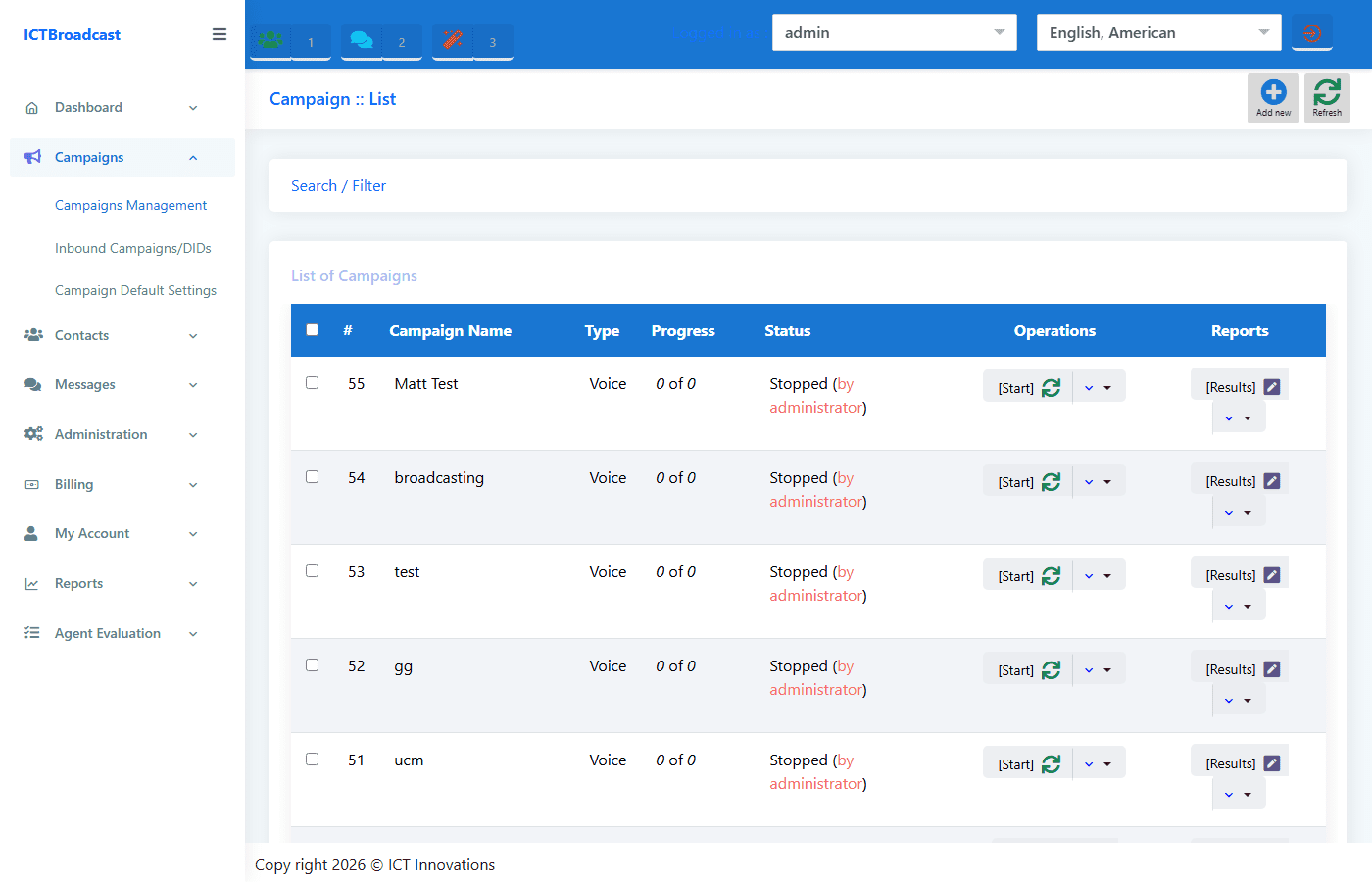
Recently ICT Innovations released Integration addon, Integration addon enable ICTBroadcast admin/user to configure campaigns to post or send call-related events to remote systems / third party applications also called push call status/webhook notifications.
Skill-Based Routing & Agent Extensions
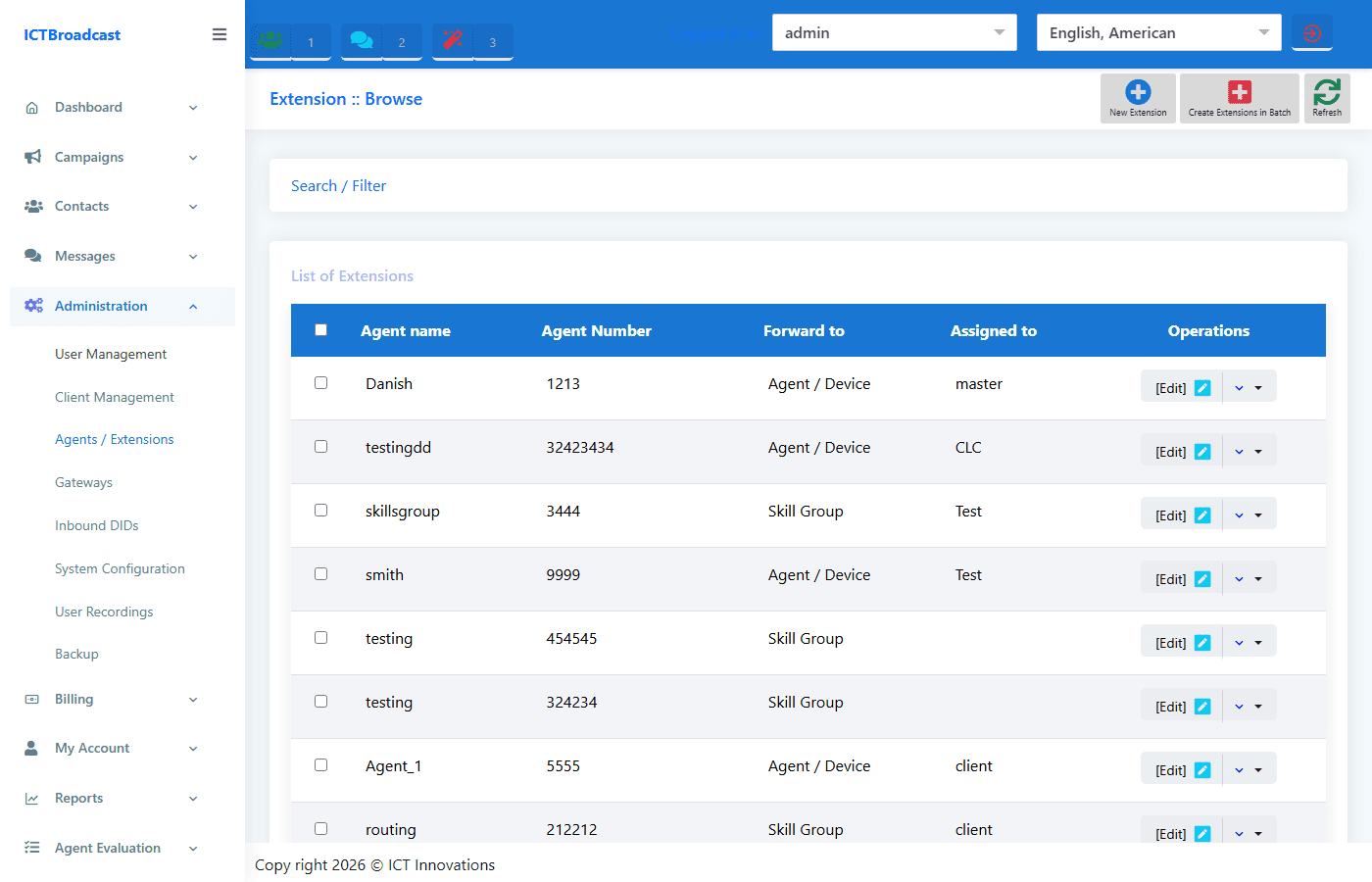
ICTBroadcast routes inbound and outbound calls to the right agent using Skill Groups — named routing pools you assign to agents based on language, product knowledge, or any other capability. When a campaign or inbound DID targets a skill group, the system queues the call for the next available agent with that skill set, reducing transfers and improving first-call resolution.
Each agent is registered as an Extension of one of three types: Agent (softphone), Device (hardware IP phone), or Skill Group forward. Admins can assign multiple agents to a skill group, set queue priorities, and monitor live agent status — who is Ready, Not Ready, on a break, or currently in a call — all from the agent live statistics dashboard.
Advance Call Center
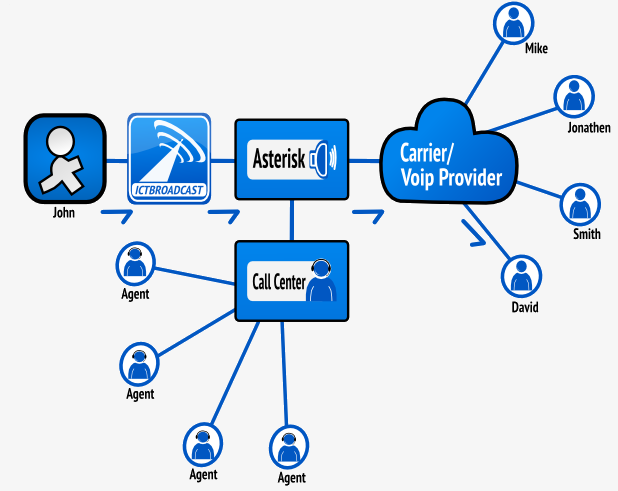
IctBroadcast provides all the functionalities of a Call Center. Whether it’s an automated Inbound Call Center or an automated Outbound Call Center you can use functionalities of both with this autodialer software.
Multi Campaign
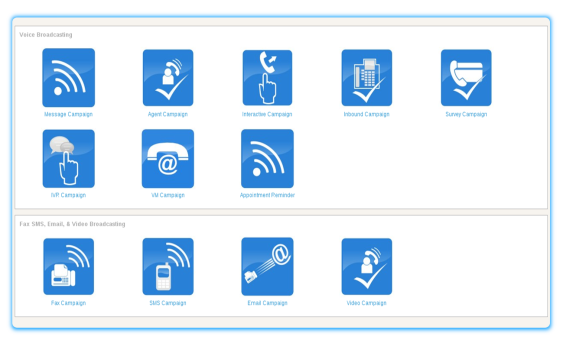
ICTBroadcast offers multiple campaigns. 12 types of campaigns are being offered i.e Message Campaign, Agent Campaign, Interactive Campaign, Inbound Campaign, Survey Campaign, IVR Campaign, Appointment Reminder Campaign, Survey Campaign, Fax Campaign, SMS Campaign, Email Campaign, Voice Campaign.
Call Queueing and Press 1 Campaign
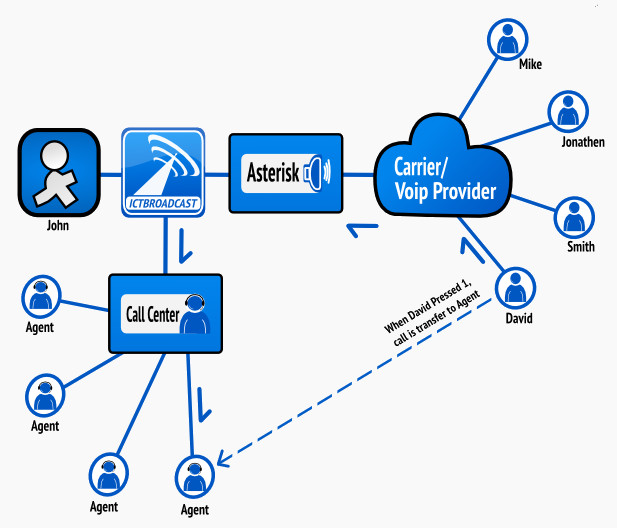
Call queueing support is provided in ICTbroadcast and you don’t need to integrate any other third-party call queuing system. Press 1 Campaign also known as Interactive voice broadcasting can be created in simple steps. On pressing 1 it forwards the calls to Agents that were in a queue.
WebPhone
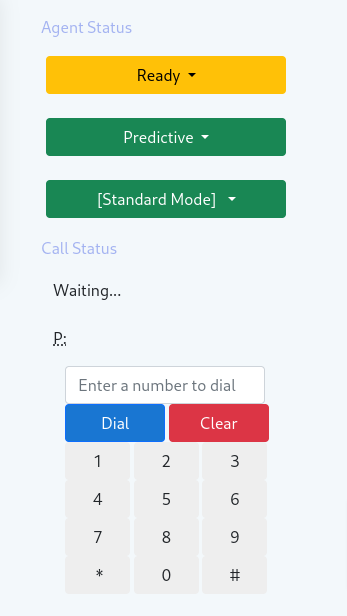
A Webphone is a WebRTC based phone that allows agents to receive calls only using their browsers, without any additional hardware or software. ICTBroadcast offers integrated web phones for agents. Not only can it receive forwarded calls, but also enables agents to perform the following actions.
AMD & DNC Support
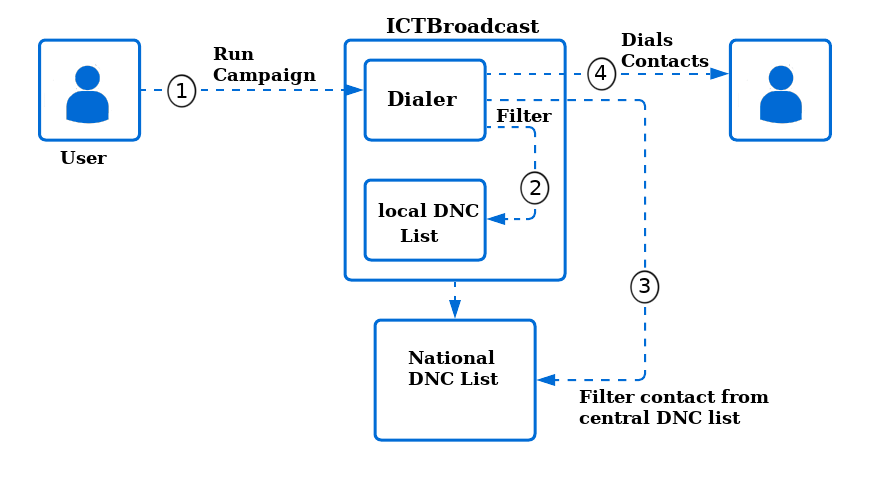
ICTBroadcast has built-in support for Answering Machine Detection (AMD). ICTBroadcast incorporates Answering Machine Detection, enabling you to hang up calls on AMD detection or leave different messages for answering machines, according to requirements. ICTBroadcast allows you to upload a Do Not Call (DNC) contact number. If you want the system to not dial specific numbers, you can add these numbers in the Do Not Call (DNC) list and the system will exclude them when the campaign runs. This list can be populated manually as well as automatically when a call recipient chooses the Do Not Call (DNC) option.
TCPA Compliance & Time-Zone-Aware Calling
Stay aligned with telemarketing regulations such as TCPA. ICTBroadcast combines DNC list management, opt-out handling, time-window scheduling, and time-zone-aware dialing so campaigns only reach contacts during permitted local hours, reducing complaint risk and protecting caller reputation.
Billing and Routing Support
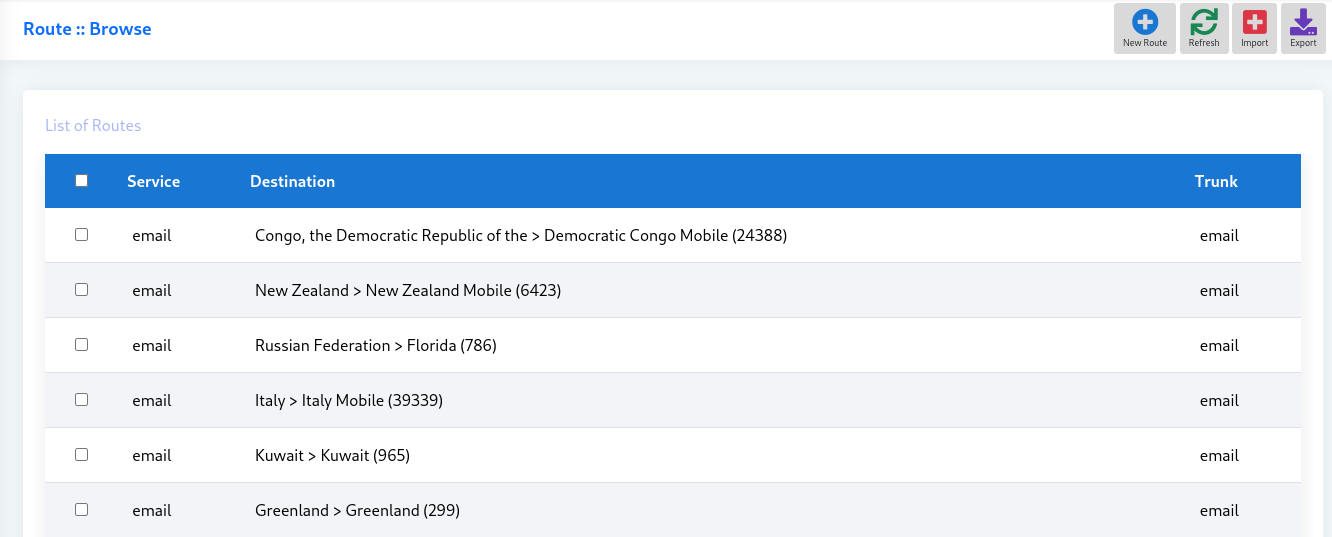
ICTBroadcast provides a complete route and rate management system. You can manage destinations, configure routes, and set destinations rates and tariffs.
Multi-Service Billing Modes
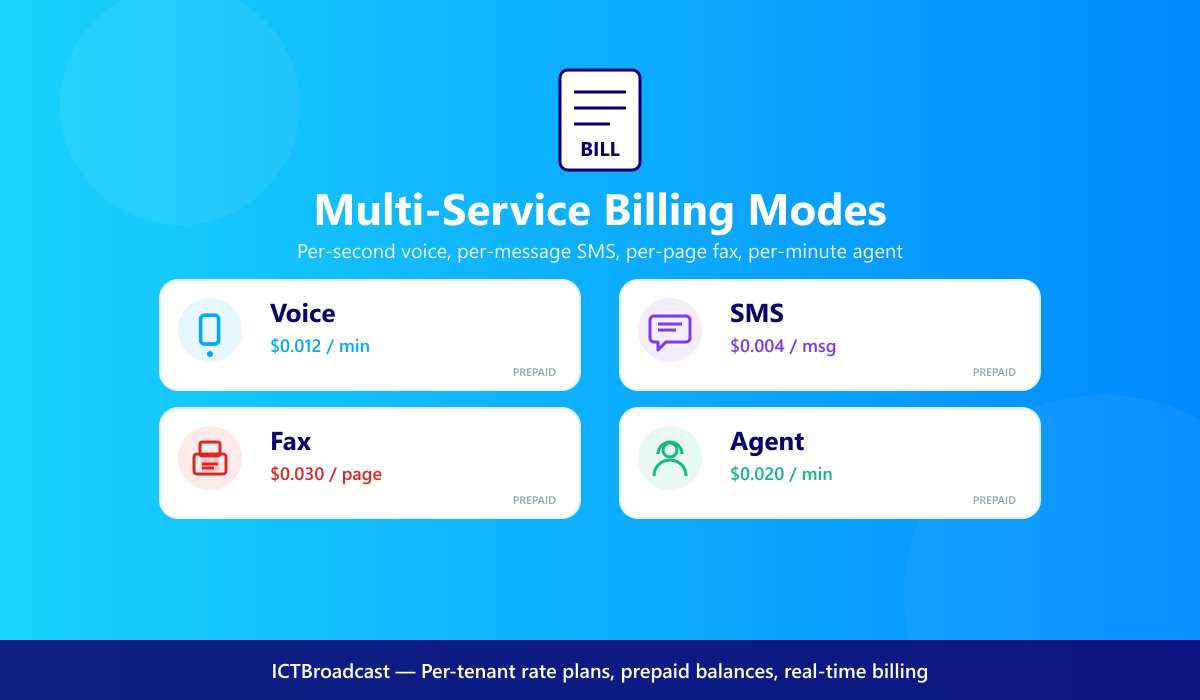
ICTBroadcast meters voice, SMS, fax, and agent services on the same platform with per-second voice billing, per-message SMS rates, per-page fax pricing, and prepaid balance management. Admins can apply different rates per tenant, route, or destination — ideal for service providers monetizing every channel.
CRM Integration
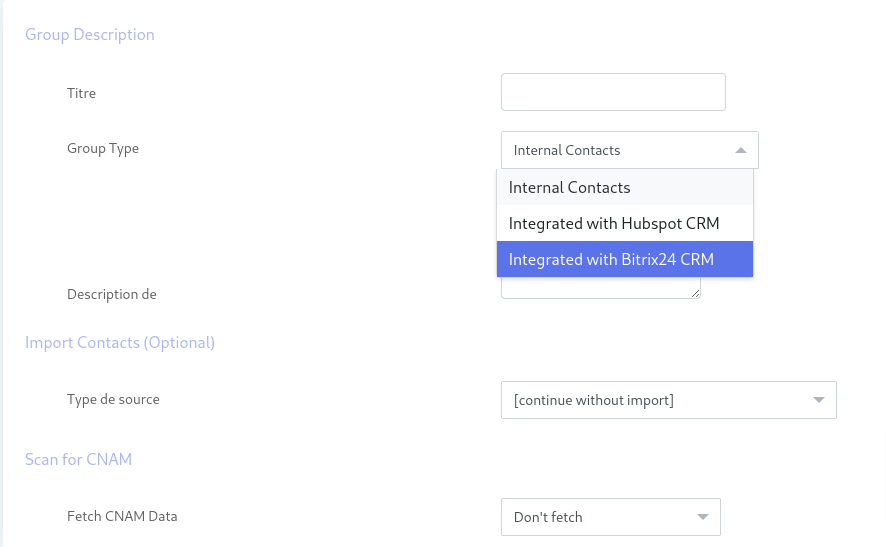
ICTBroadcast has integrated CRM. It organizes customer information and documents in a single database so that business users can easily access and manage them. ICTBroadcast Rest API offers the opportunity to integrate with any open source CRM’s like SuiteCRM, SugarCRM, EspoCRM, Yetiforce, Vtiger, flat-free, flare point CRM with ease.
Appointment Reminder
ICTBroadcast automatically reminders customers by calling them prior to their scheduled appointment time

Inbound & Outbound Call center
ICTBroadcast offers Advance & Blended Call Center feature supporting Queues, Agent Panel, and WEBRTC
Agent Evaluation & Performance Module
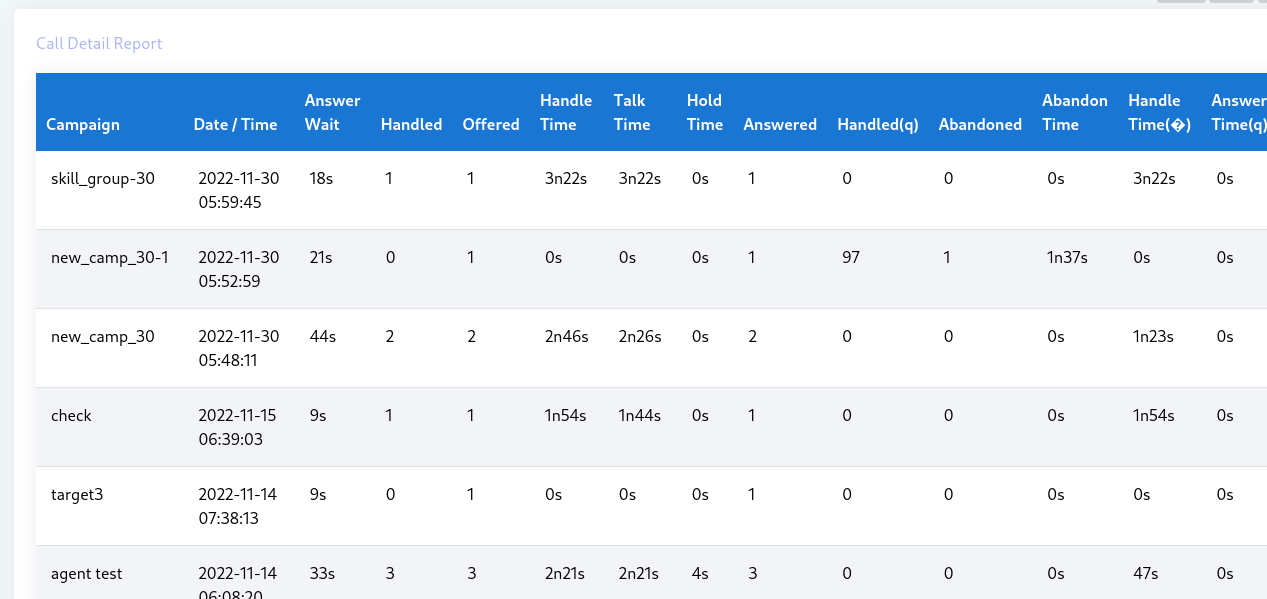
Track agent productivity with detailed per-agent reports covering call counts, talk time, idle time, dispositions, transferred and abandoned calls, and recording playback. Supervisors can score recorded calls and use the data for coaching, payroll, and SLA monitoring across the entire contact center.
Agent Portal — Full Feature Set
The ICTBroadcast agent panel puts everything an agent needs on a single screen during a live call:
- Contact List & Script — view the contact record and the campaign script simultaneously
- Update Contact — edit name, phone, email, address, and all 8 custom values without leaving the panel
- Disposition & Reschedule — submit a call outcome and schedule a follow-up in 10 minutes, 30 minutes, 1 hour, next day, next week, or a custom date and time
- Contact Type selector — dial Primary, Secondary, Tertiary, Quaternary, or Quinary number for the same contact
- Attended & Blind Transfer — transfer to any agent or skill group with or without a warm introduction
- Multi-party Bridge — conference the contact with a third party without ending the original call; use Leave Bridge to exit while keeping them connected
- Break Reasons — set status to Away, Lunch, or Meeting so supervisors see accurate availability data in live statistics
- Call History — see the contact’s previous call dates, campaigns, queue wait times, and handle times at a glance
System Administration, Backup & Gateway Configuration
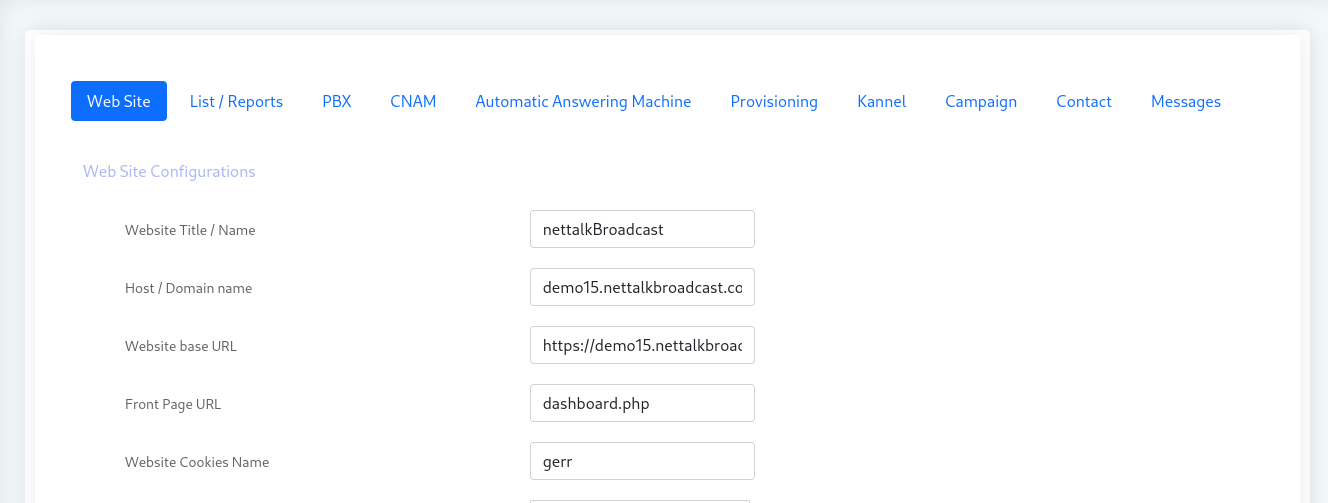
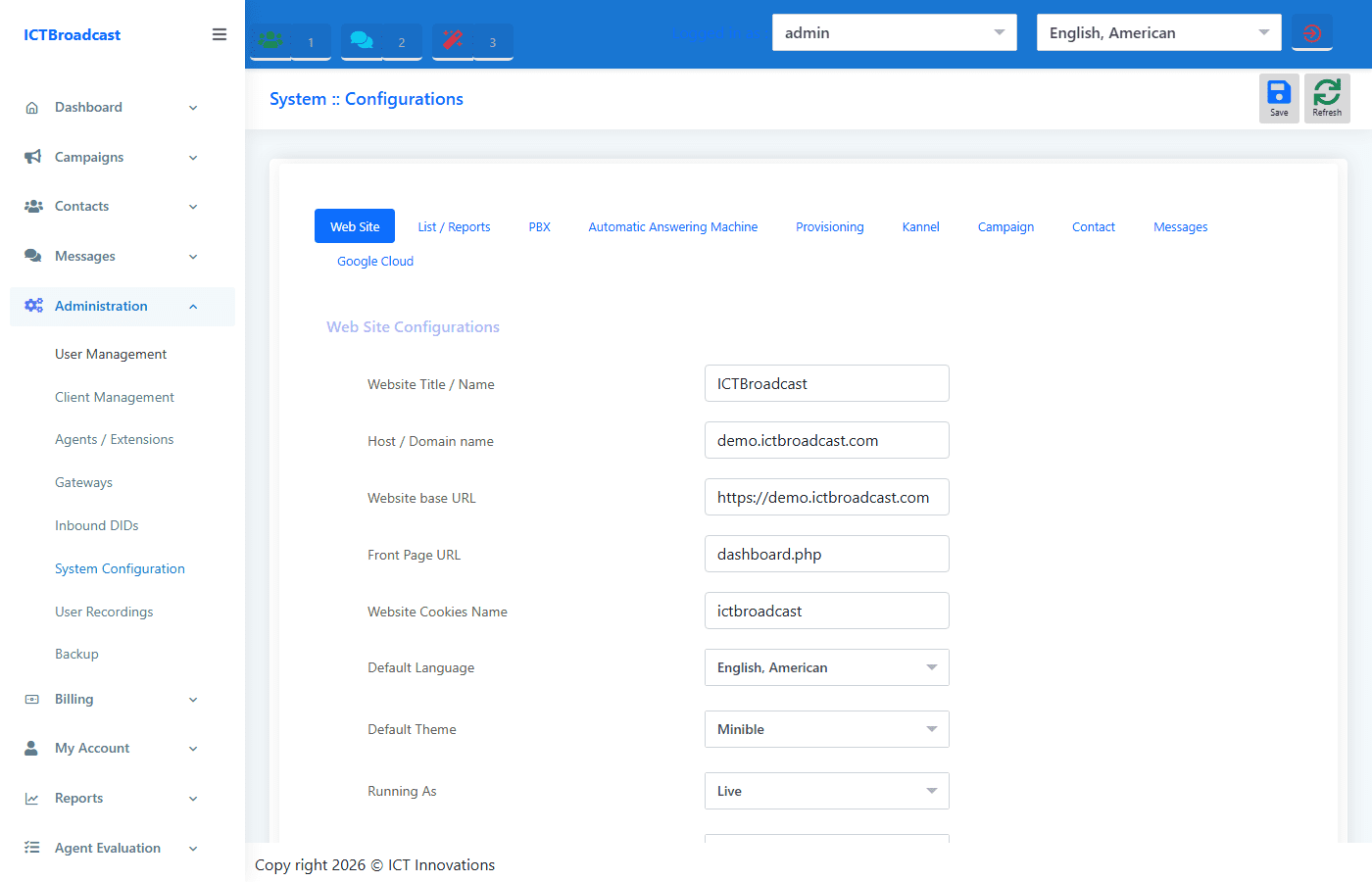
The System Configuration panel gives administrators nine tabs of platform settings covering PBX parameters, AMD thresholds, contact defaults, messaging rules, and more.
Key highlights:
- Backup — schedule or trigger on-demand backups to local storage or a remote FTP server; restore from any saved backup point with a single click
- Kannel SMS gateway — configure the built-in Kannel integration (SMSC host, port, credentials, encoding) so SMS campaigns route through your own gateway without a third-party middleware
- Google Cloud — enter your Google Cloud API credentials to enable Google Cloud TTS voices inside IVR flows and recordings
- User Recordings approval — enable a workflow where audio recordings uploaded by tenants or agents require admin review and approval before they can be used in campaigns
- Provisioning — configure auto-provisioning settings for SIP phones and devices in the estate
Rest API’s
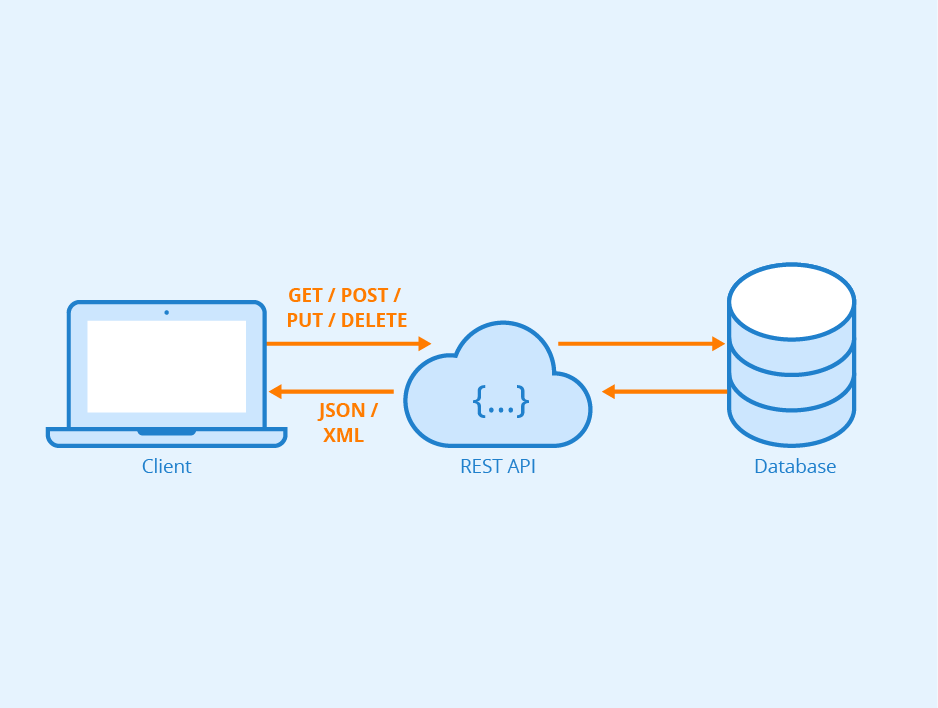
ICTBroadcast offers Rest API`s to automated your business process by integrating ICTBroadcast with any third party application
Custom Token and Personal Communications
One of the many benefits of running the ICTBroadcast system is the flexibility and degree of personalization that the system allows. Dynamic messages or Tokens can be programmed to run via the auto-dialer during a campaign tailored to your existing client database or as part of standard operating procedure.