What is Fax Broadcasting Software?
Fax broadcast software is cutting-edge technology that enables organizations to transmit large numbers of faxes to various receivers at the same time. Unlike traditional faxing, which requires sending individual faxes one at a time, fax broadcast software automates the process, saving time and effort for enterprises with significant faxing requirements. This software allows you to reach a large audience quickly, making it a useful tool for marketing campaigns, announcements, and time-sensitive communications.
What is Fax Broadcasting Software Do
Advance fax broadcasting software allows users to send mass faxes to their contacts/customers online without using any fax machines or hardware. Users upload their fax document and list of contact fax numbers into the software and start a new campaign to send said fax documents to thousands of their contacts/customers. The fax broadcasting software starts sending said fax documents in bulk to fax machines of these contacts concurrently using Fax over Internet Protocol, mostly T.38, and all customers receive faxes securely from the software platform online, either through their fax machine or through web/email in case they configured their number for internet faxing.
Benefits of Fax Broadcasting Software:
Simple Integration: Fax broadcast software integrates smoothly with existing systems, including email clients and CRM platforms. This integration offers a seamless transition into your workflow and enables you to send faxes directly from your existing applications.
Cost-effective: Fax broadcast software is cost-effective since it eliminates the need for real fax machines and paper, saving organizations money on equipment, maintenance, and paper. Furthermore, it saves substantial time and resources compared to manually managing faxing operations.
Increased Productivity: Fax broadcast software’s automatic capabilities allow you to send hundreds or even thousands of faxes with a few clicks. This increased efficiency saves vital staff time, allowing them to focus on more important activities.
Start Fax Broadcasting with ICTBroadcast, the Unified Auto Dialer Software
It is very easy to run a fax campaign in ICTBroadcast as 1, 2, 3. Just perform the following actions:
- Upload your contact list
- Upload your fax document
- Create a new fax campaign in ICTBroadcast
ICTBroadcast will dial numbers from contact lists, and on the answer, it will transmit fax documents to destinations. ICTBroadcast is a mass faxing tool that can burst thousands of faxes in minutes. Fax broadcasting software is an efficient tool to communicate and advertise to businesses across the world. ICTBroadcast has built-in support for PDF and TIFF documents, but can be easily upgraded to support any other document format. ICTBroadcast supports both T.38 fax protocol, traditional G.711 pass-through faxing, as well as faxing through PSTN networks. ICTBroadcast packages offered a fax broadcasting module charges, meaning you don’t need to pay extra charges for it.
ICTBroadcast is a unified communications software application supporting voice, SMS, email, and fax broadcasting. Its consistent graphical interface makes it easy for its users to quickly set up any of the desired broadcasting campaigns. Just like any other campaign in ICTBroadcast, a fax campaign can be easily created in 3 simple steps. Fax broadcasting is a major telemarketing tool to market their products or send their messages to their contacts. It is an economical and legal technique when compared to voice broadcasting, where there are many restrictions and regulations due to the misuse of voice broadcasting.
Step 1:
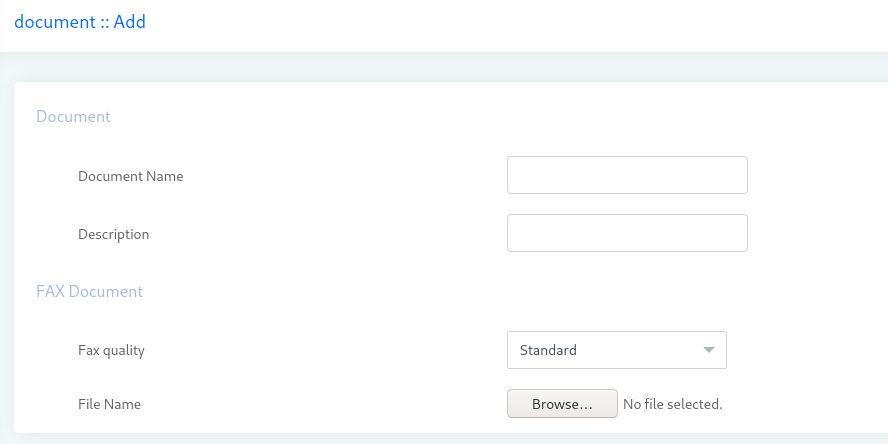
First of all user will upload the fax document that will be used to deliver during fax campaign.
- Login as user/admin in ICTBroadcast portal
- Select the main menu “Administration” and click on the sub menu Fax Document under the main menu.
- Fax Document list page opens, click on the Add new document button, and the Add document page will open
- Enter the Document name & Description
- Select the fax quality from drop down as per the requirement
- Select the fax document file and click on the save button (only pdf format is permitted)
Step 2:
Create a contact group and import your contacts into that contact group. See more detail on how to create a contact group and import contacts
Step 3:
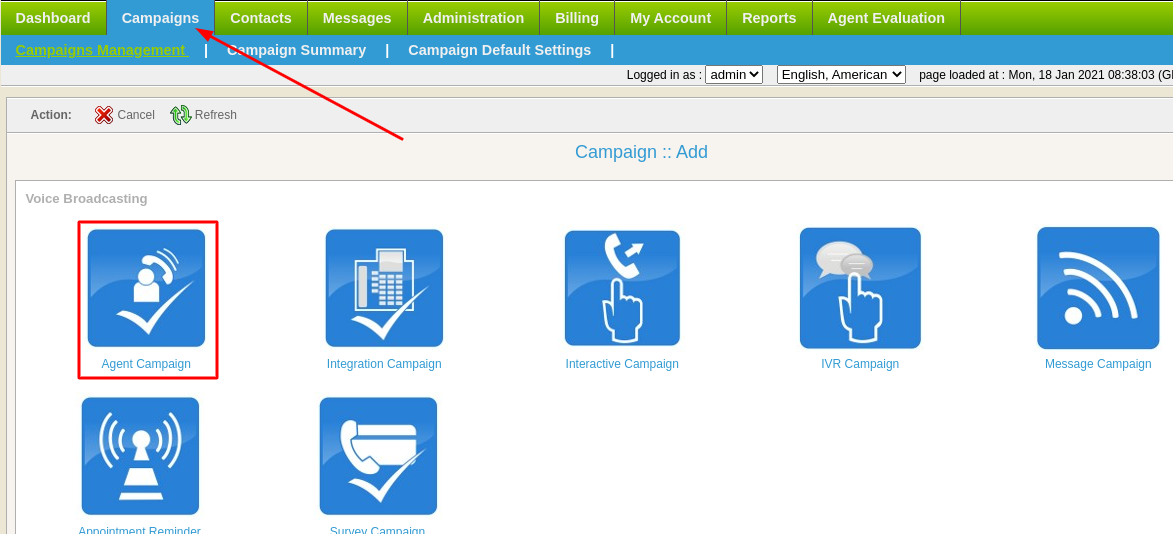
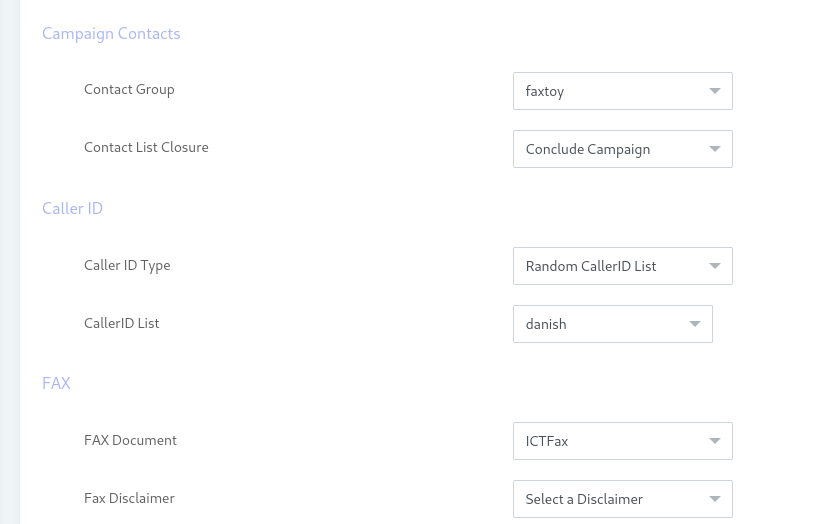
Navigate to Campaign -> Campaign management -> Add New -> Fax Campaign Form. Fill this campaign form with required fields like:
- Enter the Campaign name/title
- Select the Contact group from drop down
- Enter the caller id and caller name that will be displayed when the recipient receives the call
- Select the created Fax Document
Max. Concurrent Channels
A maximum number of concurrent channels that the campaign will support.
Max retries
Max number of retries to contact the said contact.
Max call Duration
Maximum allowed duration for each call. After this duration, the call will be disconnected automatically. If the user is not sure about the duration of the call, let it be the maximum number so that it does not affect the call conversation.
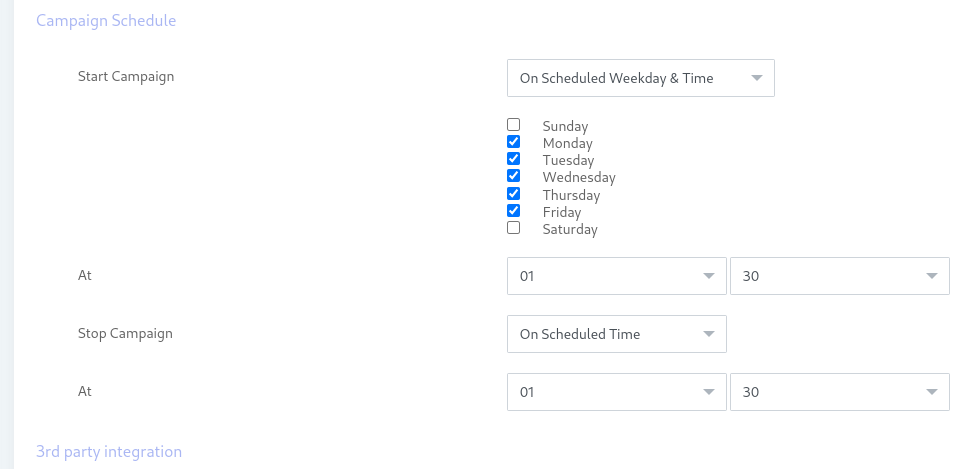
Campaign Schedule options include
Start campaign
The scheduled campaign starts with the following options:
- Immediately: Start the campaign immediately just after creation.
- On Scheduled Time: Start a campaign on the selected date and time.
Stop/Pause campaign
Scheduled campaign stop time has the following options:
- When Done: Stop the campaign when everything is completed.
- On Scheduled Time: Stop campaign on selected date and time.