
Salesforce CRM is an award-winning solution created by Salesforce as part of its extensive sales and marketing solutions under the Salesforce brand including separate systems for analytics, marketing, service, and community cloud.
As a CRM, the software helps you to track all customer information and interactions in one location to follow more leads. The Lead Management, Marketing Automation, Sales Data, and Partner Management apps let you follow these leads until they are ready for conversion.
In addition to the web interface, Salesforce offers a SOAP/REST Web service API that enables integration with other systems.
Salesforce works on Modelcontroller architecture.
Apex
Apex is a proprietary programming language provided by the Force.com platform to developers similar to Java and C#. It is a strongly typed, object-oriented, case-insensitive programming language, following a dot-notation and curly-brackets syntax. Apex can be used to execute programmed functions during most processes on the Force.com platform including custom buttons and links, event handlers on record insertion, update, or deletion, via scheduling, or via the custom controllers of Visualforce pages.
Running Salesforce Campaigns from Ictbroadcast
- The module retrieves contacts and other information of salesforce campaigns.
- Run campaigns ICTBTbroadcast platform using Voice, Fax, or SMS technologies.
User Guide
Sales Dashboard
- Login salesforce account
- First, enable API access
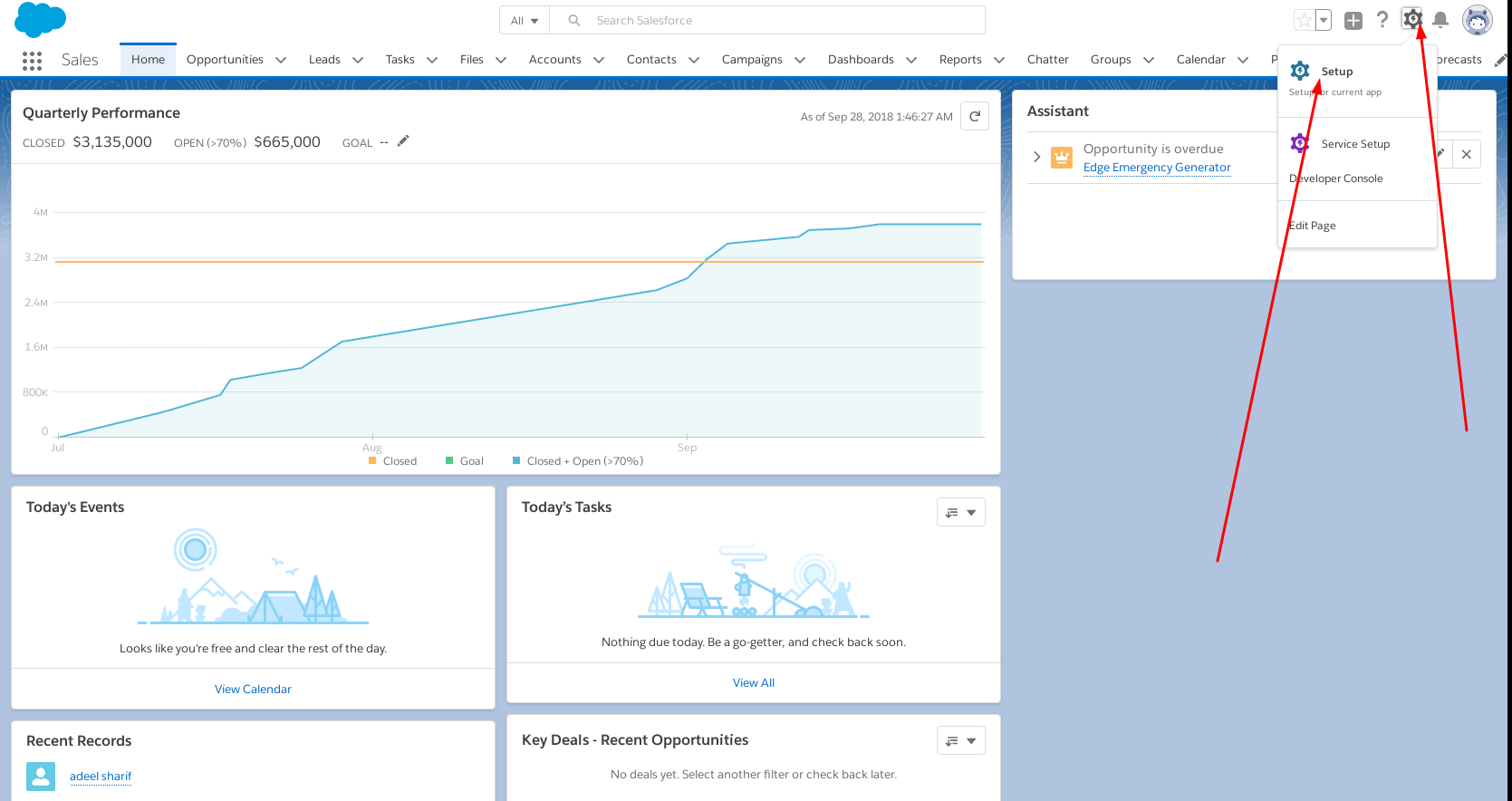
- Click the setup button
- Go to Manage Users and click Profiles.
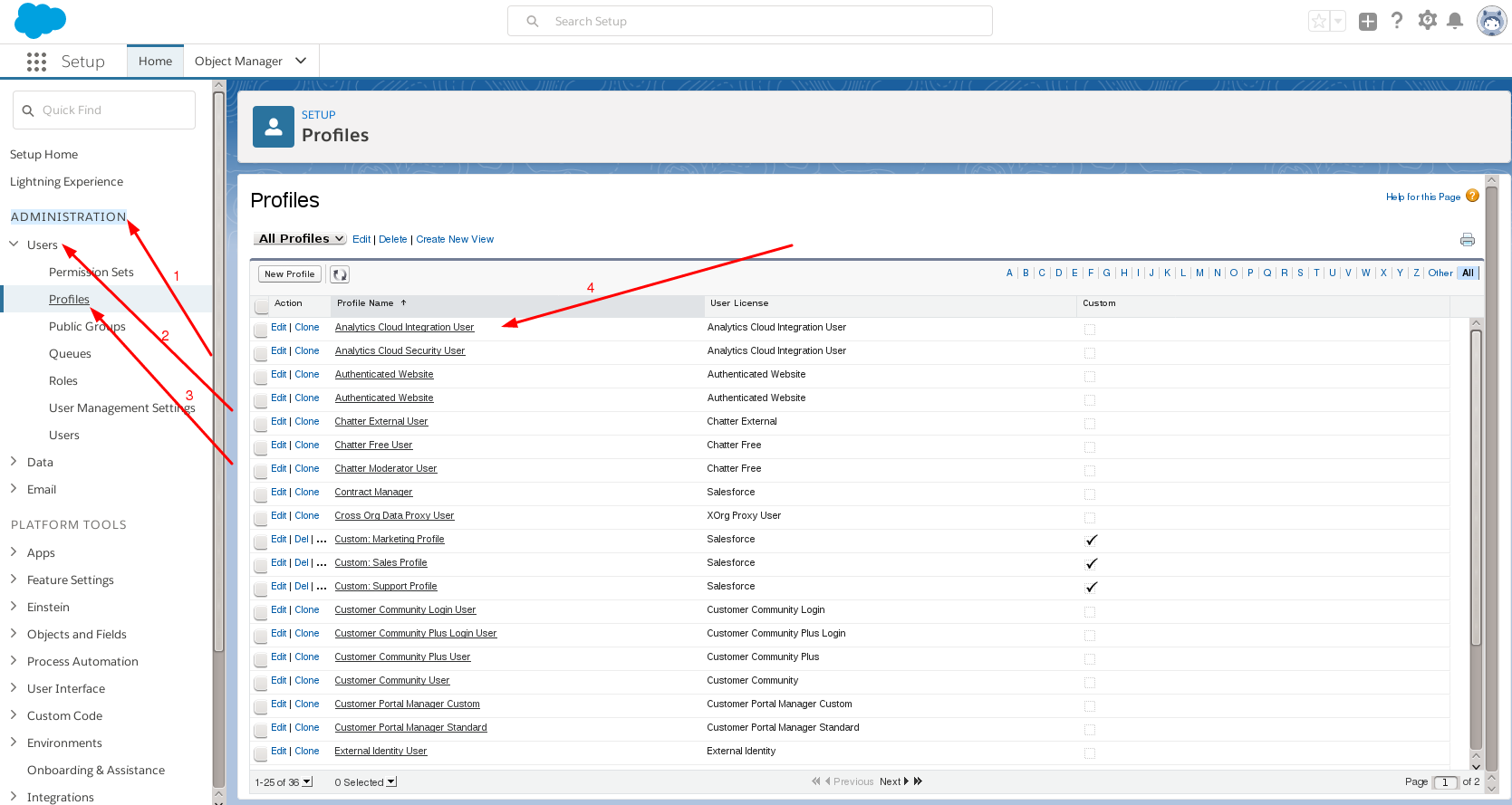
- Click Edit on the specific profile you’re updating.
- Scroll down to Administrative Permissions and check the API Enabled box.
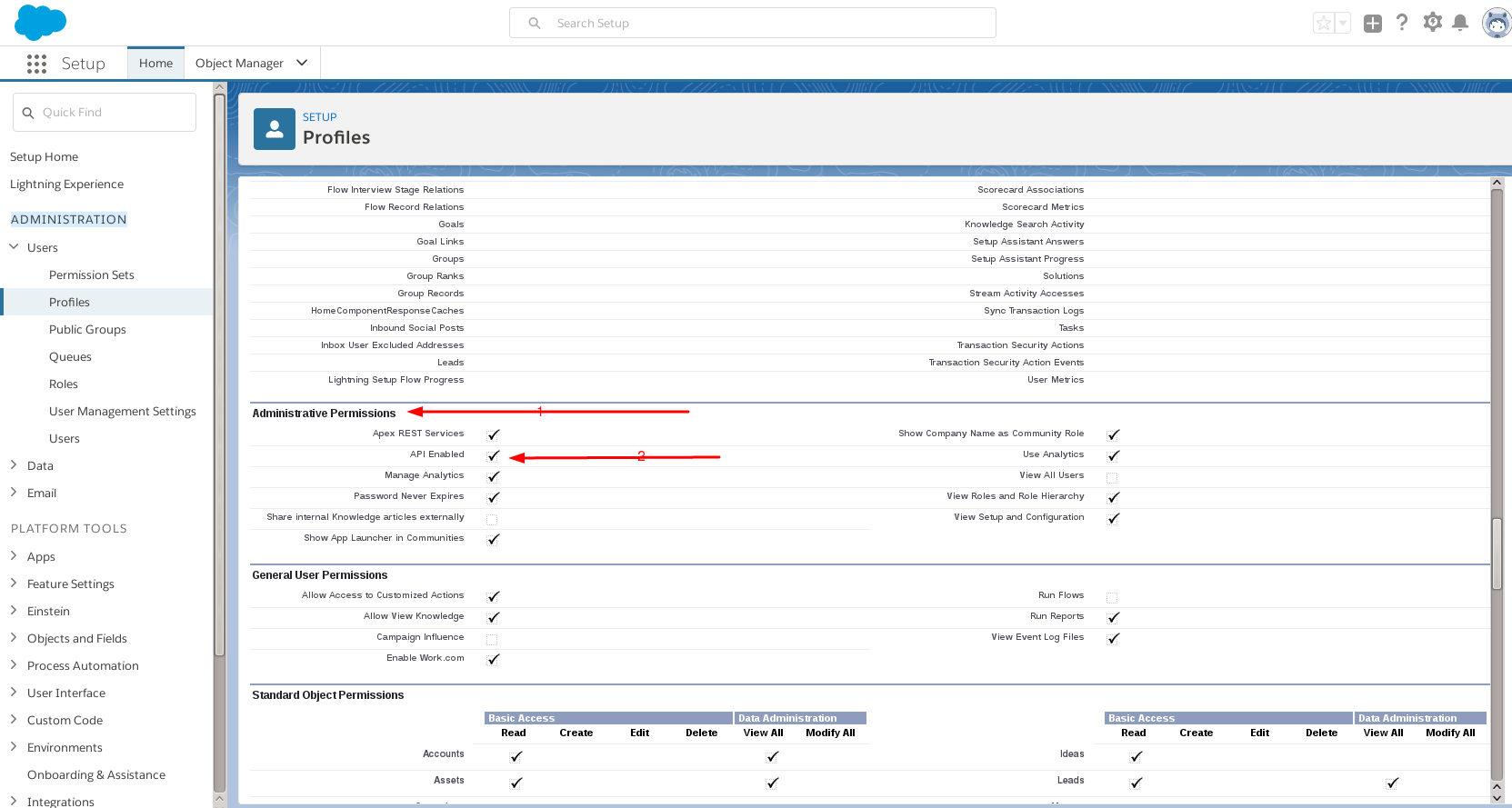
- Click Save.
- Salesforce Dashboard.
- Click Contact.
- Select Contact.

- Select a contact to add to a new or existing campaign.
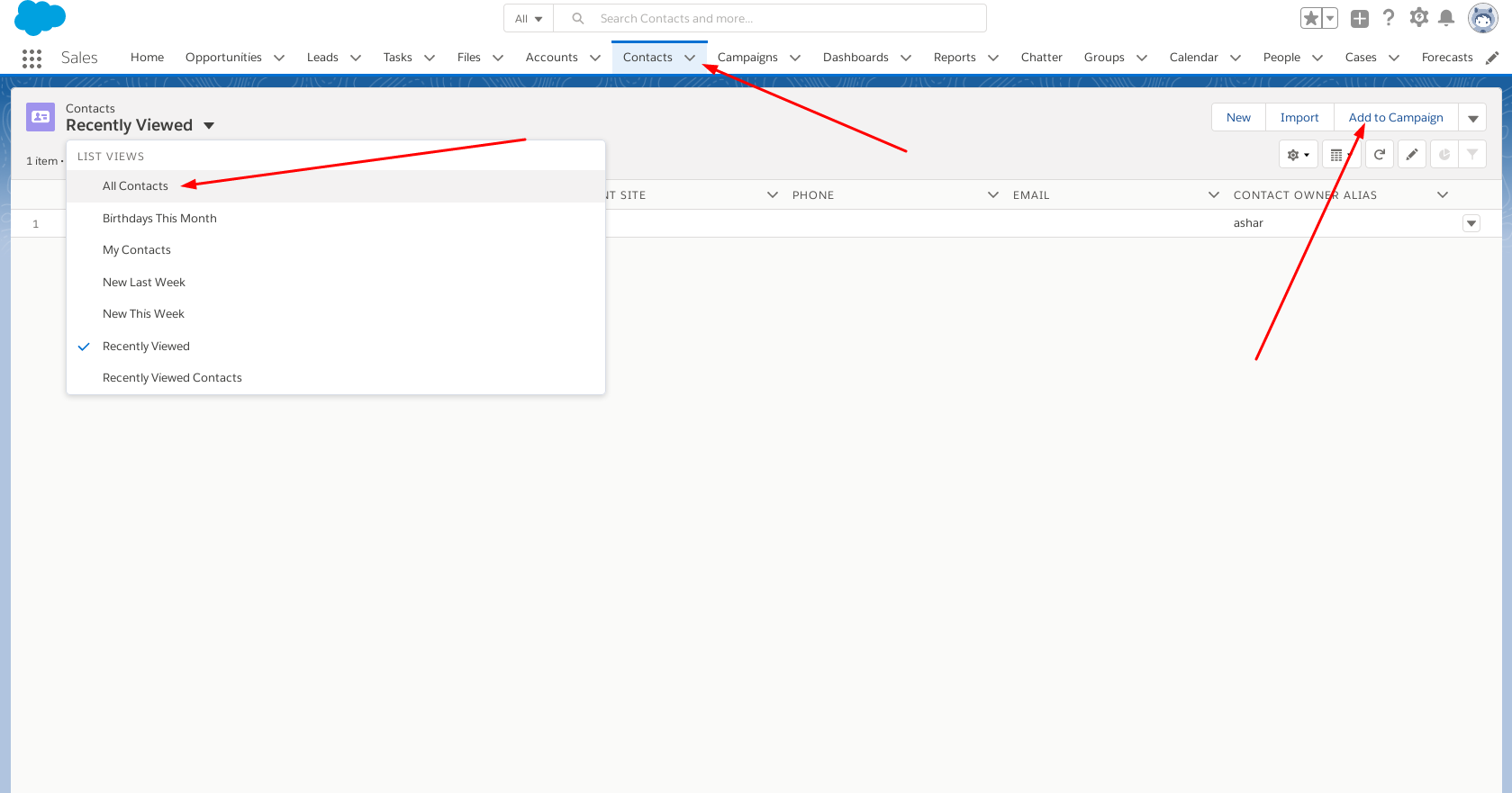
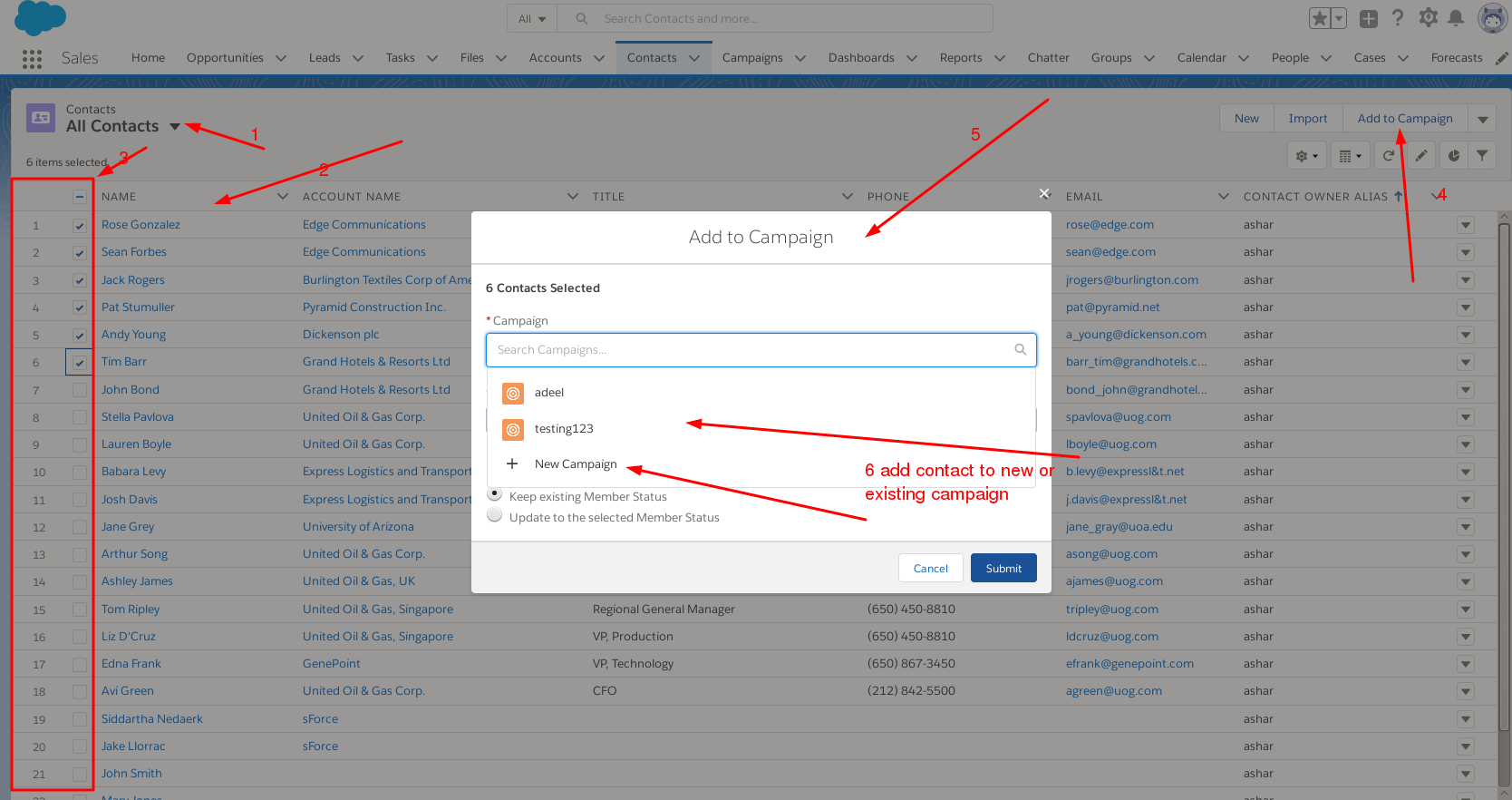
- Click submit.
- Now login to your ICTBroadcast panel
- Go to contact menu
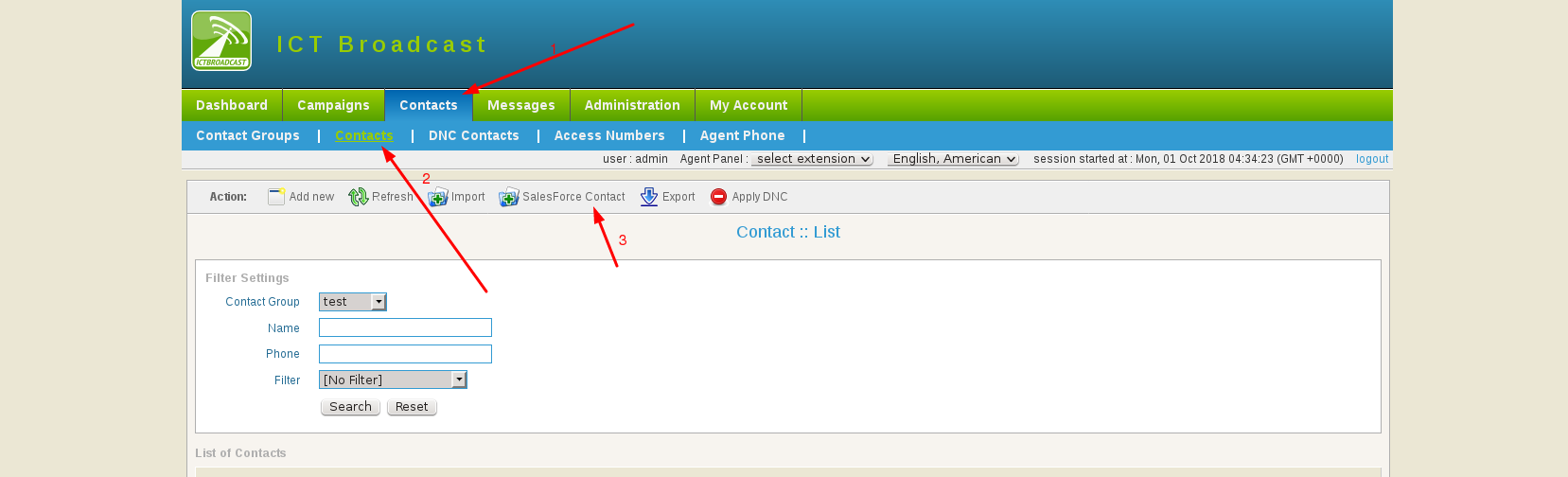
- click salesforce contact
- add your salesforce credential
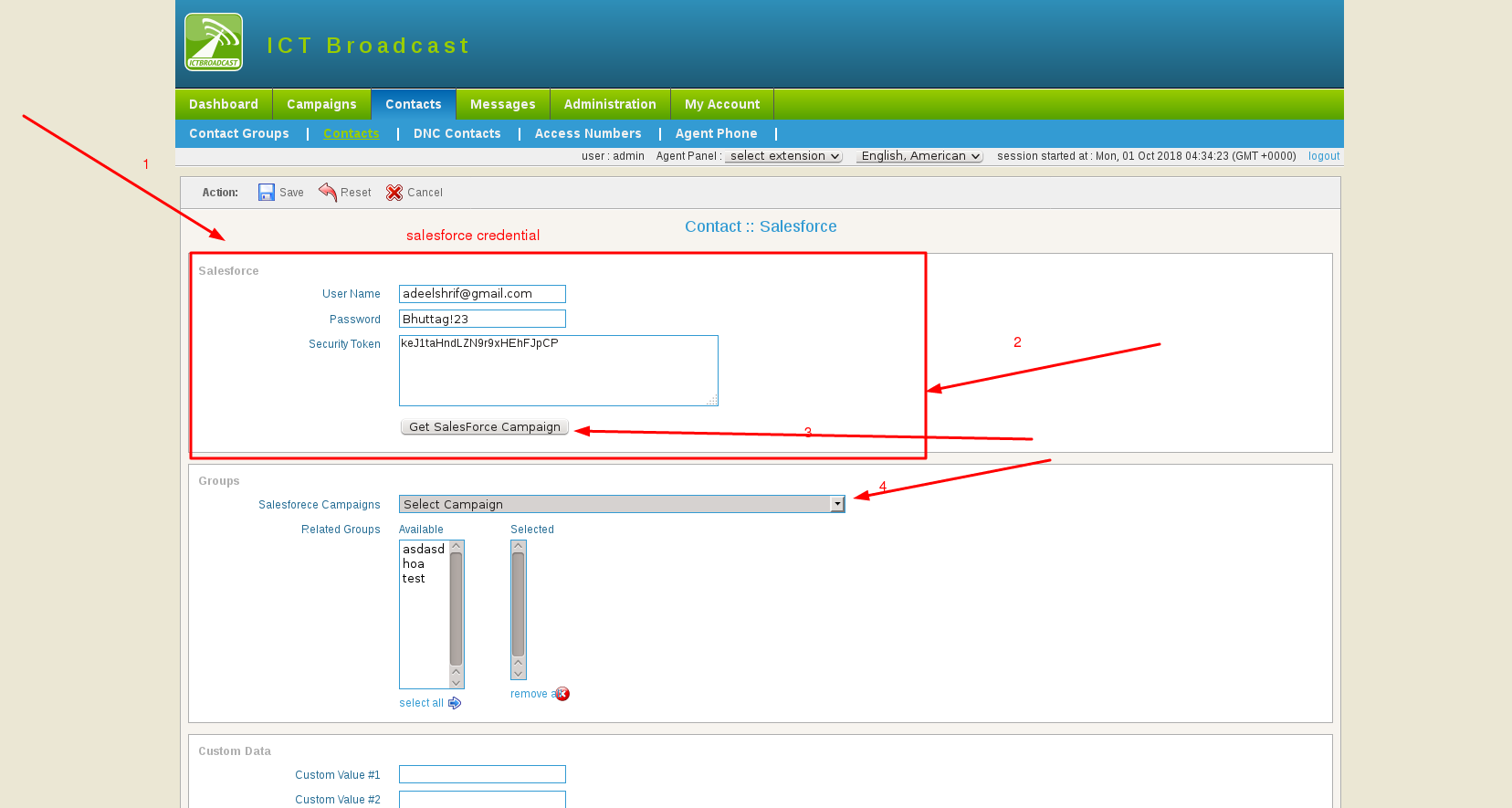
- click
get salesforce campaignbutton - select salesforce campaign and broadcast group
- click save button