In this blog, we have configured Twilio’s elastic sip trunk with ICTBRoadcast that gives our customers to avail features of both platforms same time, work with the Twilio platform and ICTBroadcast. Twilio offer a SIP trunking option to wholesale providers working with SIP compliant terminations, following you will find details about Twilio sip trunk
Login into Twilio Portal
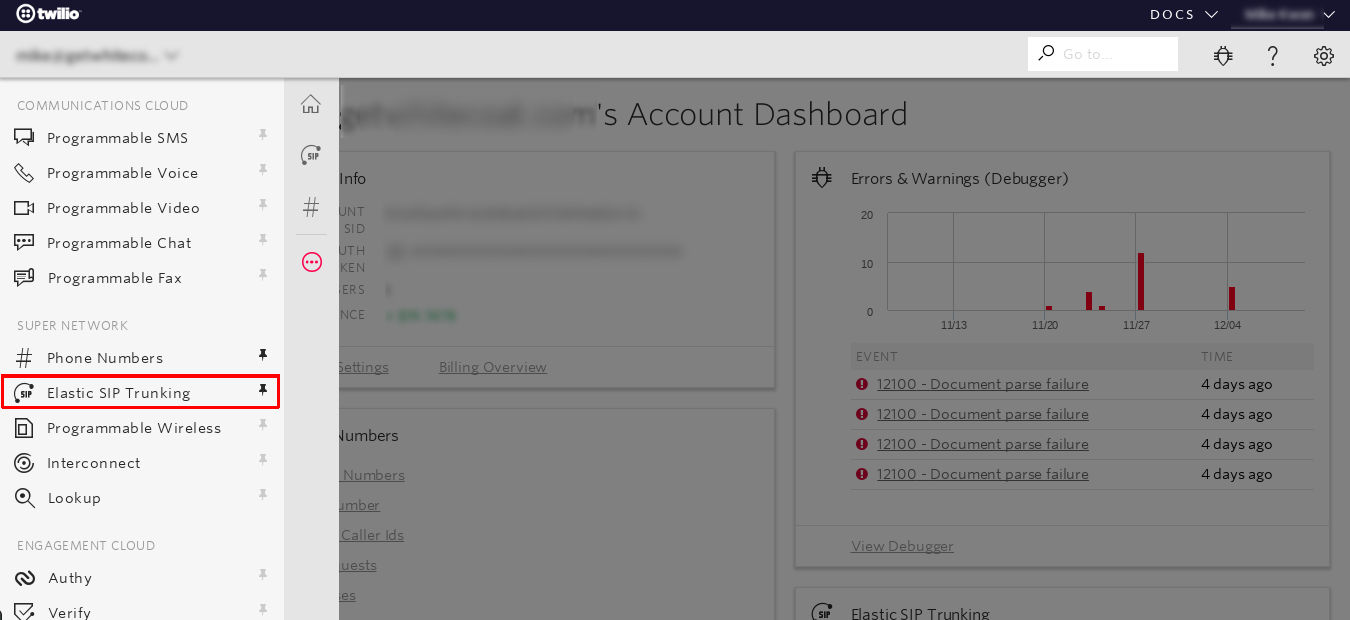
Click on Menu and select ELASTIC SIP TRUNKING
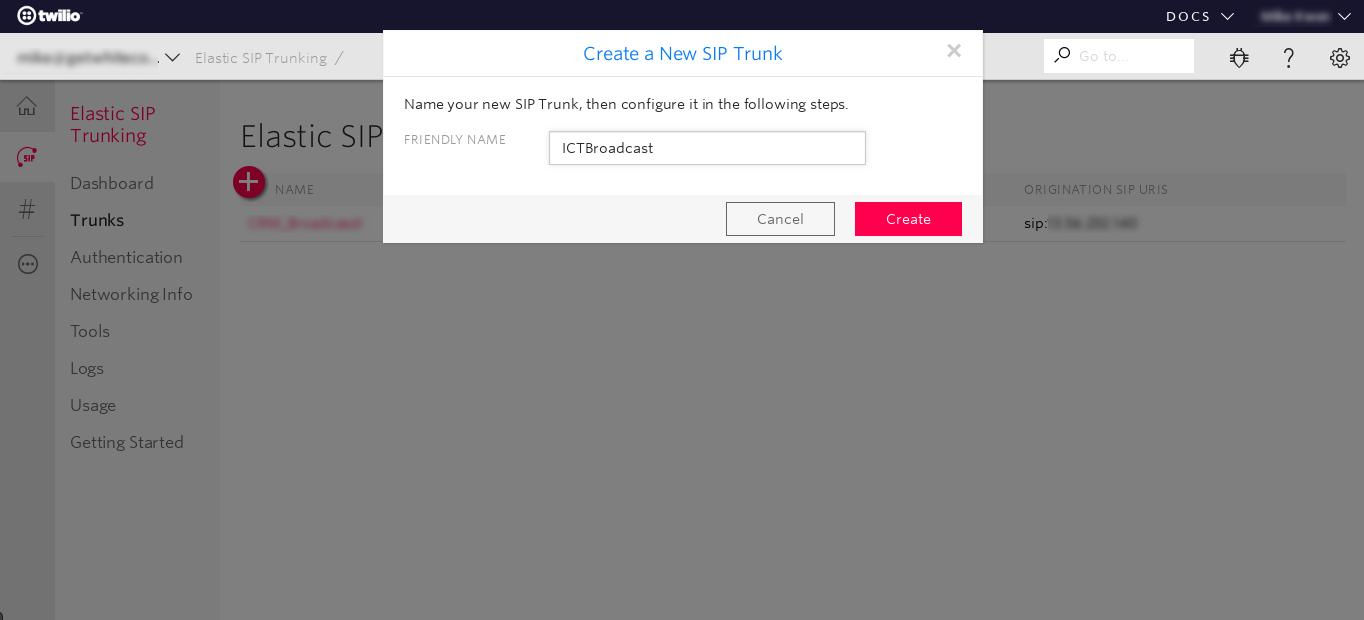
Click the Create SIP Trunk button, enter Friendly Name for the trunk and save it
Click on the Termination tab, and choose a Termination SIP URI (you will use this when configuring the trunk in ICTBroadcast later)
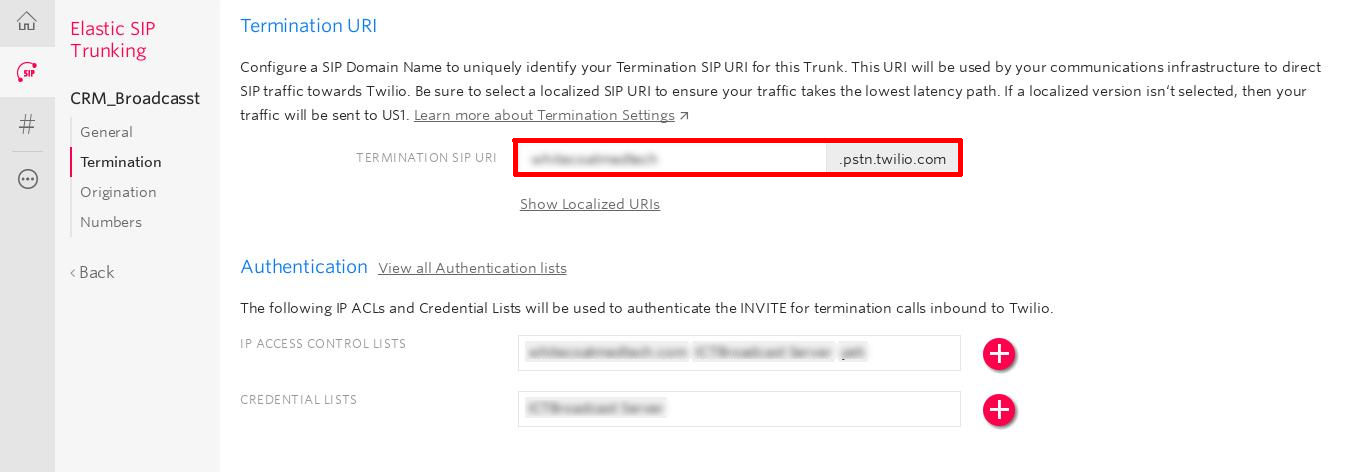
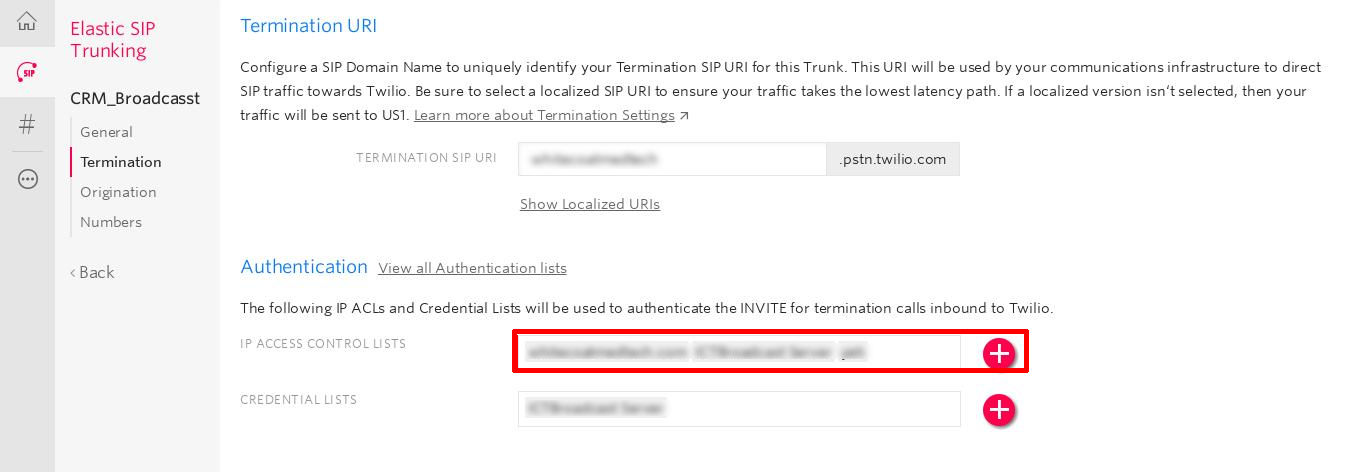
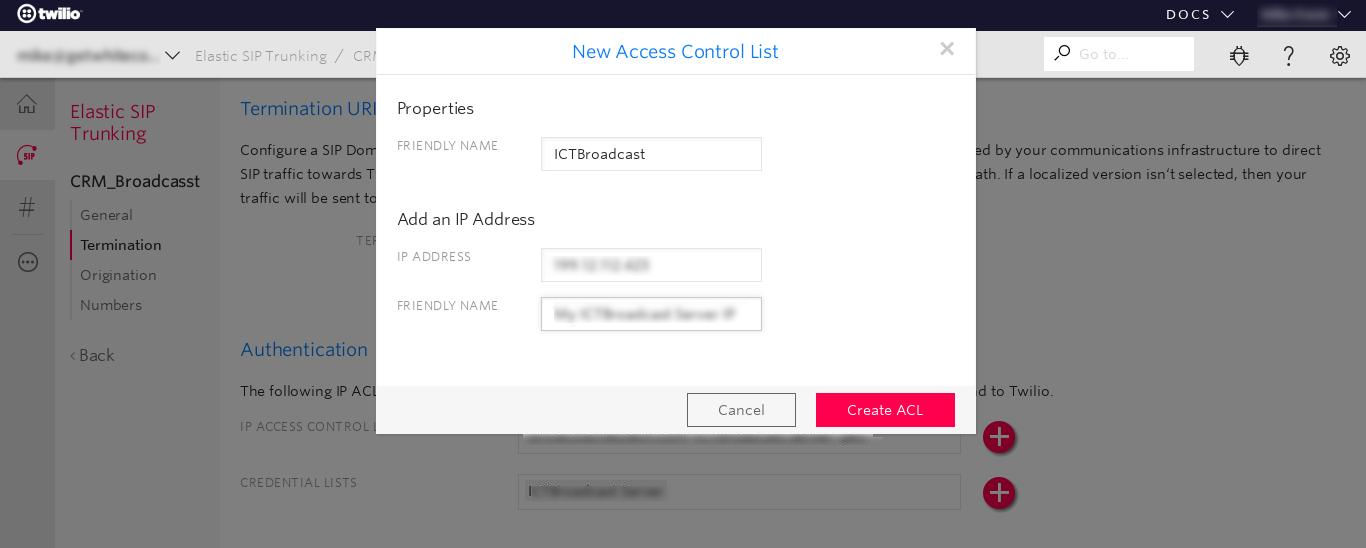
Click Create IP Access Control List, and add the IP address
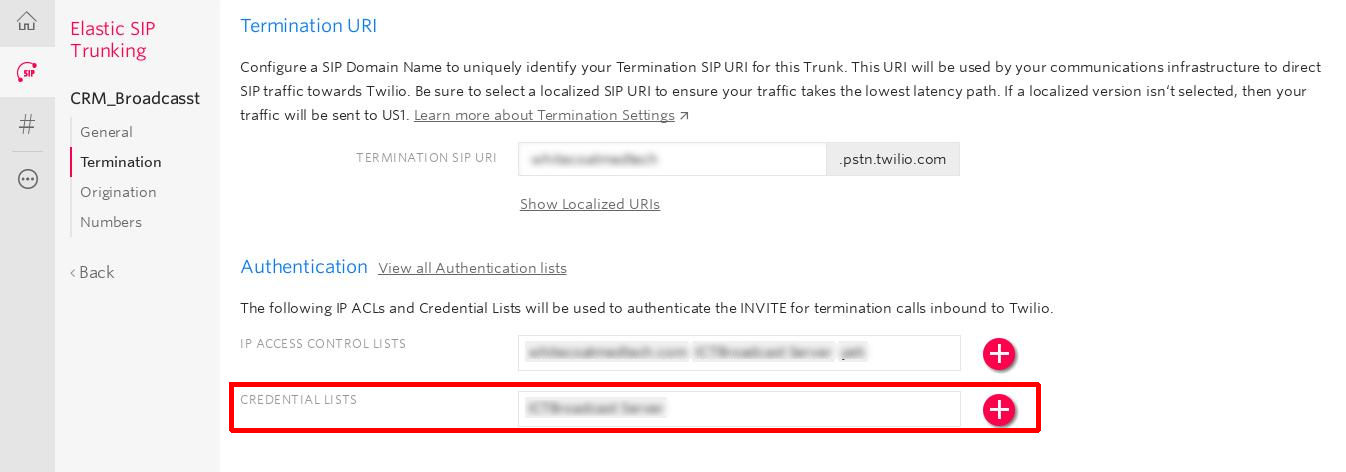
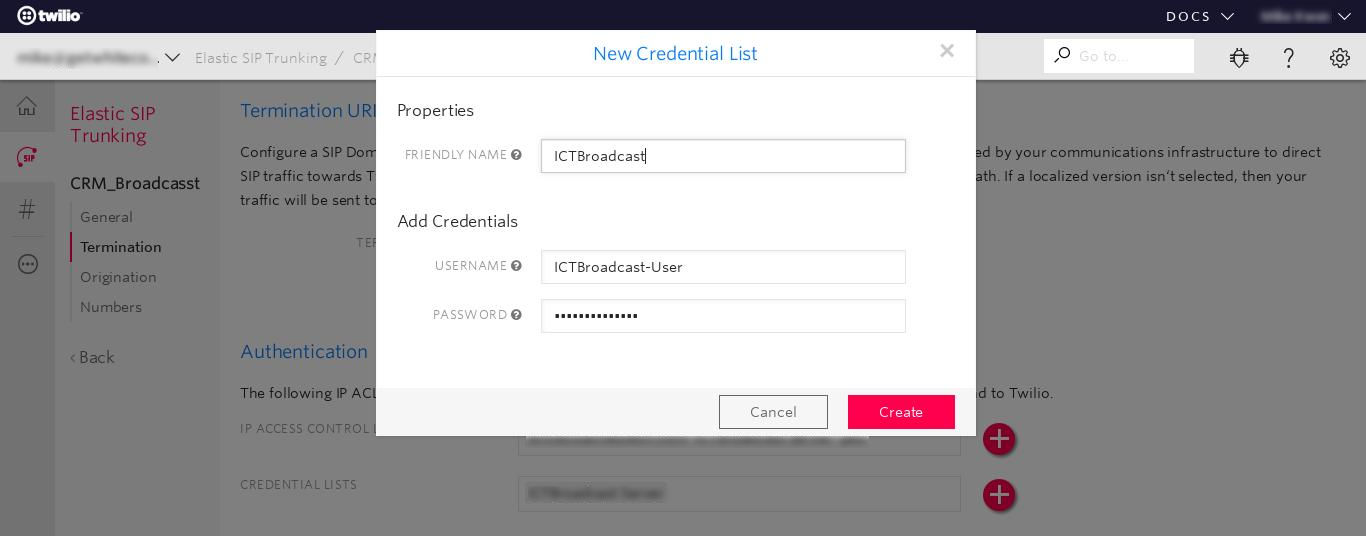
Click Create Credential List and enter username and password (you will use this when configuring the trunk in ICTBroadcast later) and save the termination configuration.
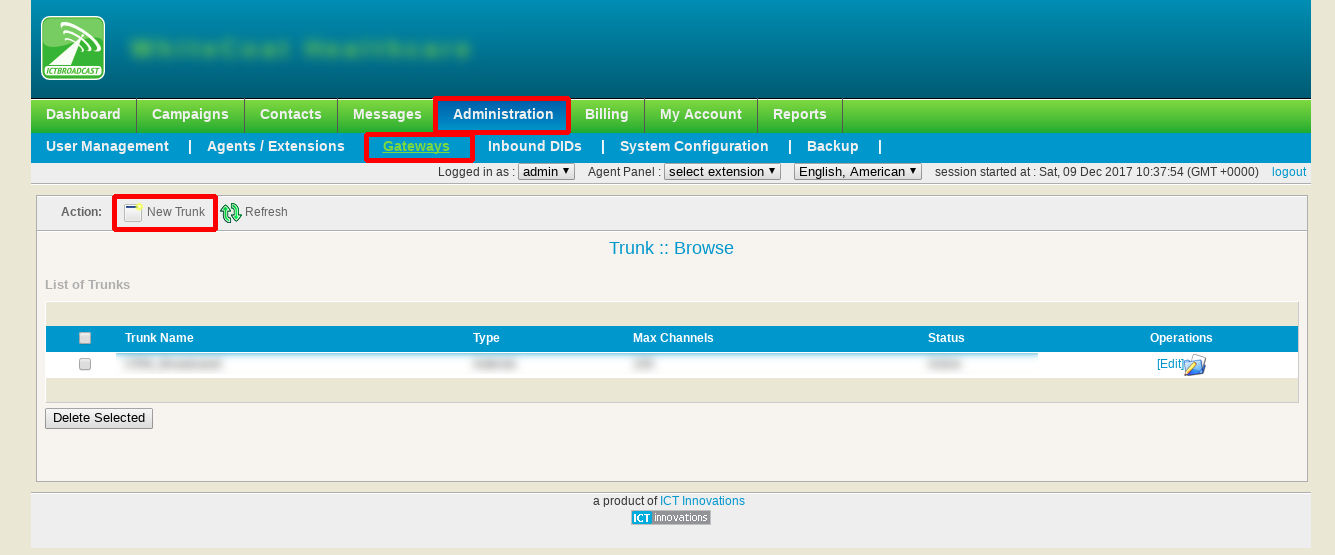
Now, log in as Admin in ICTBroadcast Portal, Goto to gateway menu under Administration menu, and click on add new gateway
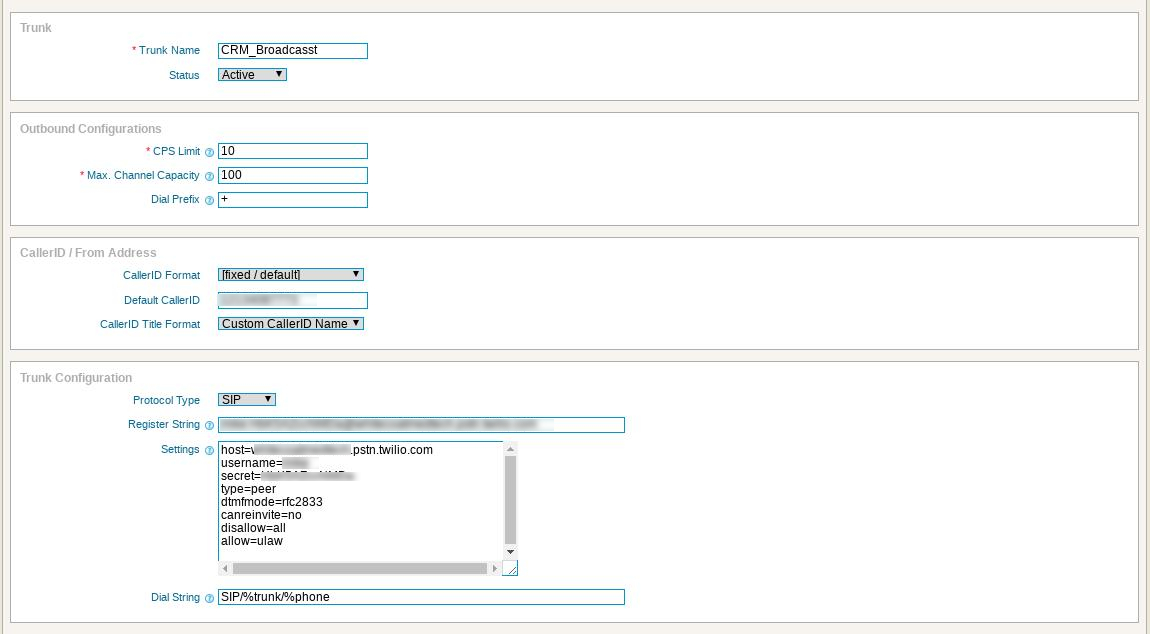
enter trunk name, add CPS and Channels limit, Dialing Prefix, Set outbound callerID, enter trunk configuration like following and save it
Configure the following settings:
Trunk Name: trunk name, such as Twilio
CPS Limit: depend on your Twilio Account
Channels: Depend on your Twilio Account
Dialing Prefix: + (please make sure from Twilio support)
Outbound CallerID: The full number in E.164 format
Protocol Type: SIP
Dialstring : Username:Password@*****.pstn.twilio.com
Peer details: replace host, username, and secret (password) with the details for your trunk:
host=*********.pstn.twilio.com
username=*****
secret=********
type=peer
dtmfmode=rfc2833
canreinvite=no
disallow=all
allow=ulaw