Predictive Dialer
ICTBroadcast is the best predictive dialer for call centers
In this document, we have discussed that how we have implemented the predictive dialer capability in ICTBroadcast. while
implementing predictive dialing behavior we faced two questions.
How many channels did the campaign need? and When do we need to dial new channels? as we need active calls in queue
before a busy agent gets free!
To answer the above questions and to conclude a final algorithm we have divided this post into the following sections
Concerned Entities The entities that the algorithm can utilize.
Dialing Factors Factors that can decide campaign speed
Target Handles Variable which is responsible to control campaign pace
Required Statistics The statistic or variables which are required to conclude target handles.
Design Final design/algorithm for predictive dialing
Concerned Entities
We have to monitor the following entities to predict the active number of calls
Campaign / Queue
Agent campaigns can have one queue per campaign, all statistics will be collected and accounted for queues.
Active Agents
No active agents, Available to campaign/queue at a given time
Active Contacts / Calls
A 3rd parameter is the total number of outgoing, in the queue, and in-service calls.
Dialing Factors
Using the following factors we can decide either dialer need to increase/decrease the required number of concurrent
channels.
Limit factors
Active agents
Active channels
Calls in Queue
Average Handled (talk + hold + wrapup) time
Boost factors
Low ASR
Free Agents
Average Call Setup time
Average Abandoned time
Custom factors
Desired queue time
Acceptable Abandoned ratio
Target handles
We can control the campaign speed or the concurrent number of calls by following
Existing handlers
Normally, ICTBroadcast uses the following two parameters for campaigns to control the dialing speed of the related campaign
Channel Auto: Total number of channels assigned to the campaign
Channel Offset: Difference of channels, when the user wants to increase or decrease channels fromthe dashboard GUI,
further, this parameter is also used to reduce the number of concurrent when the balance is not sufficient to maintain a high
a number of concurrent channels.
New handlers
We can add/replace the above handling parameters in campaigns statistics with the following agent related predictive parameters
Agent Auto: Total number of active agents in a campaign at any given time
Agent Offset: Additional required channels, Which ICTBroadcast has to dial to address low ASR issue. to kill the call
setup time etc …
Required Statistics
As mentioned above need two parameters to control the number of concurrent channels, here are the details of the subparameter which are required before determining the actual value of the above-mentioned parameters
Agent Auto
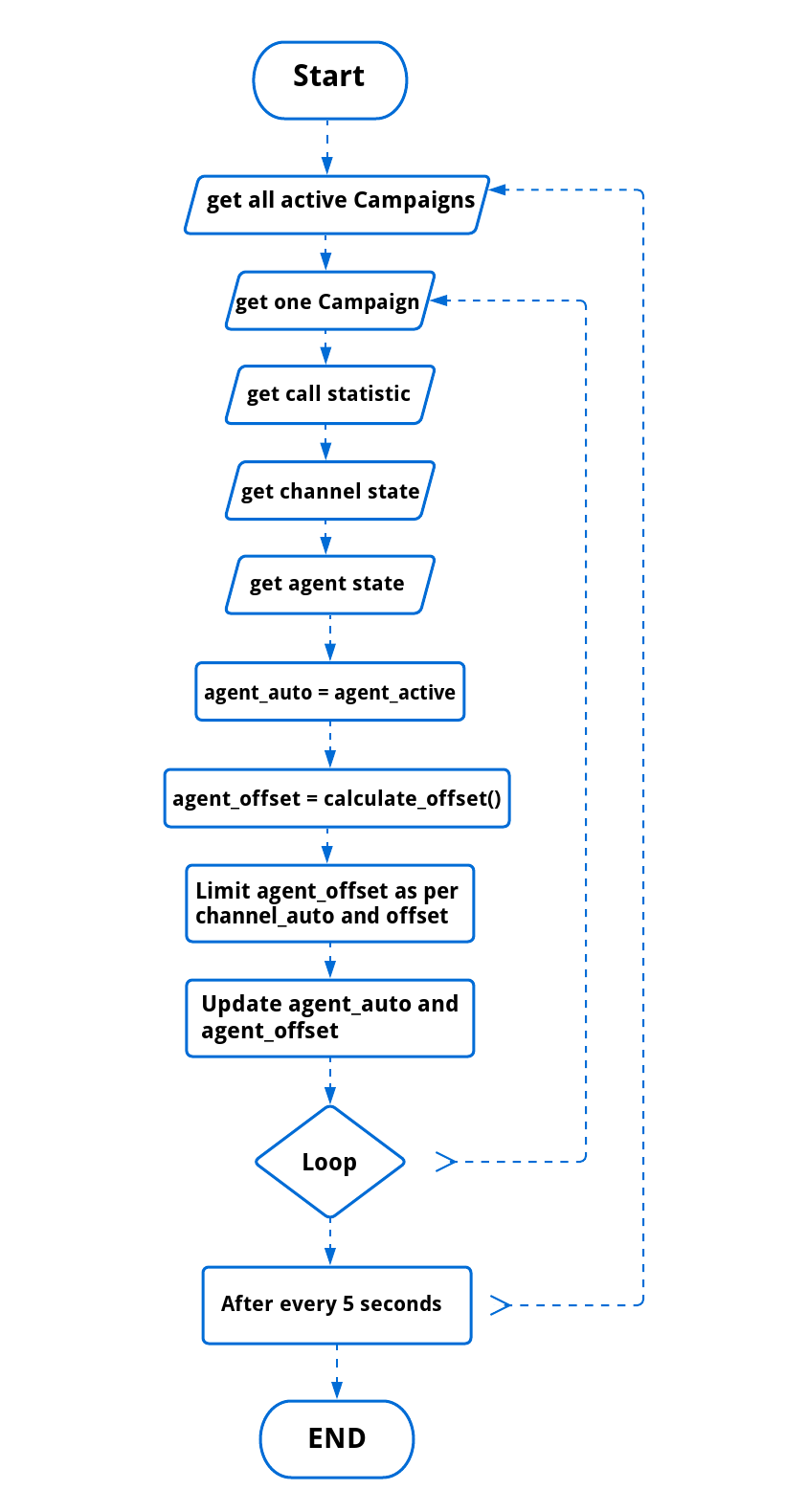
We use no of the active agent as agent auto, without any modifications.
Agent Offset
It will be a bit complex and require all following sub-parameters to calculate its value
Average setup time: Average time required to dial and get calls answered (i.e ring time)
Average handle time: Average talk time with agents including hold time and wrap-up time
Average Success Rate (ASR): Success rate i.e no of rejected, busy calls vs no of answered calls
And
Calls in setup: Current number of ringing calls or calls in setup
Total active calls: Total active calls
Available Agents: Total number of agents currently logged in and handling or available for calls
Free Agents: Logged agents who are free to take new calls
Anticipated Agents: Agent in handle mode, which are about to free, see
current handle time + average setup time >= Average handle time
And also needed to keep agent offset under an upper limit
Channel Auto: number of channels allocated to the campaign
Channel Offset: number of additional or fewer calls, as per user or system desecration
Design
Besides the agent_auto and agent_offset fields, We have to create/introduce the following entities to support predictive
dialing in ICTBroadcast
statistic predictive
One table and one event created in the database collect system statistics on a per campaign basis. The event is configured to fire after
every 30 seconds, and it is programmed to update the statistic_predictive table with average values of the following parameter on
per campaign basis.
success_rate
handle_time
ring_time
hold_time
Here is the flow