
ICTBroadcast Autodialer Application offers a full suite of telemarketing campaigns like Voice broadcasting, Fax broadcasting, SMS messaging, Survey and Polling, Appointment reminder, Press 1 campaign, Interactive Campaign, Inbound campaigns also offers REST API’s to integrate any third-party application with it to automate CRM business process and communicate with customers/contacts in an effective way. ICTBroadcast REst API offers the opportunity to integrate with any open source CRM’s like SuiteCRM, SugarCRM, EspoCRM, Yetiforce, Vtiger, flat-free, flare point CRM with ease
In a previous blog post, we have show ICTBroadcast and Vtiger integrations work giving screenshots of VtigerCRM and now we are going to explain the details about our work regarding ICTBroadcast and renowned EspoCRM integration deployment using REST API of ICTBroadcast, the unified autodialer software.
The said integration enables the user to communicate directly with his contacts/customers directly from espoCRM, either using general contacts lists or leads lists or opportunity lists, or others. The said integration enables automation of the business process and enables the user to create and run campaigns directly from EspoCRM.
Following are some screenshots taken from EspoCRM customer relationship management(CRM) deployment after integration with ICTBRoadcast autodialer along with instructions on how to run voice broadcasting campaigns
How to use ICTBroadcast Module in Menus
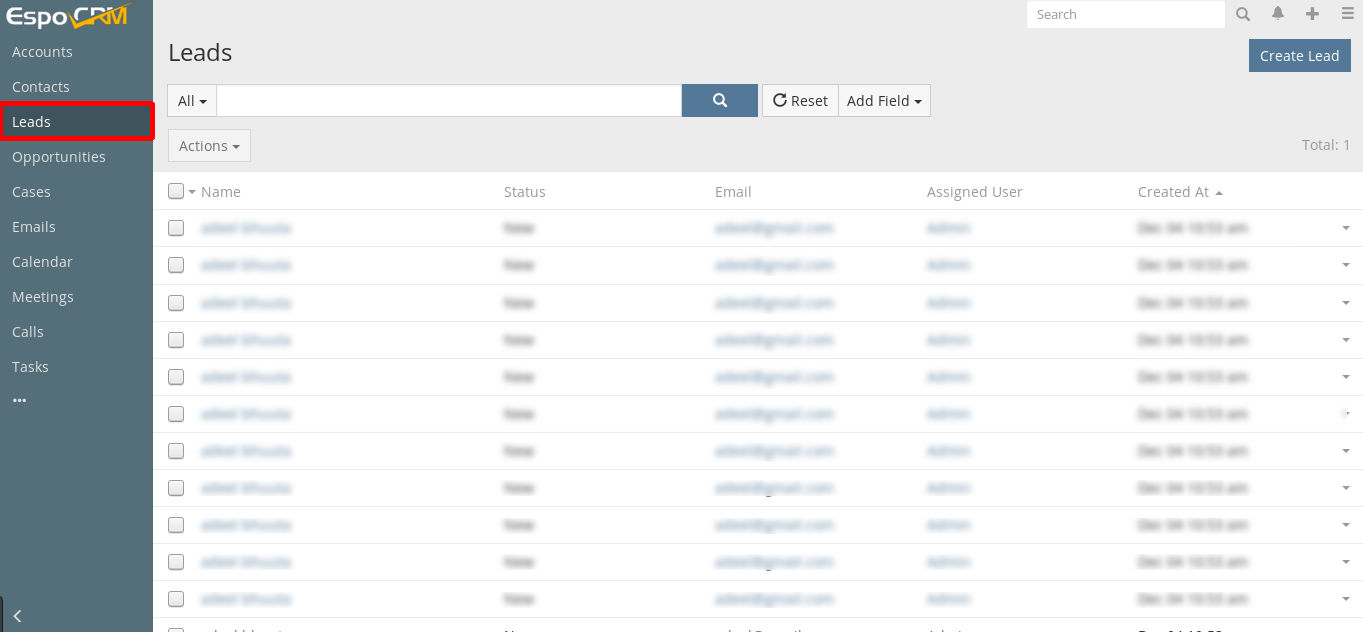
1. Goto Leads menu
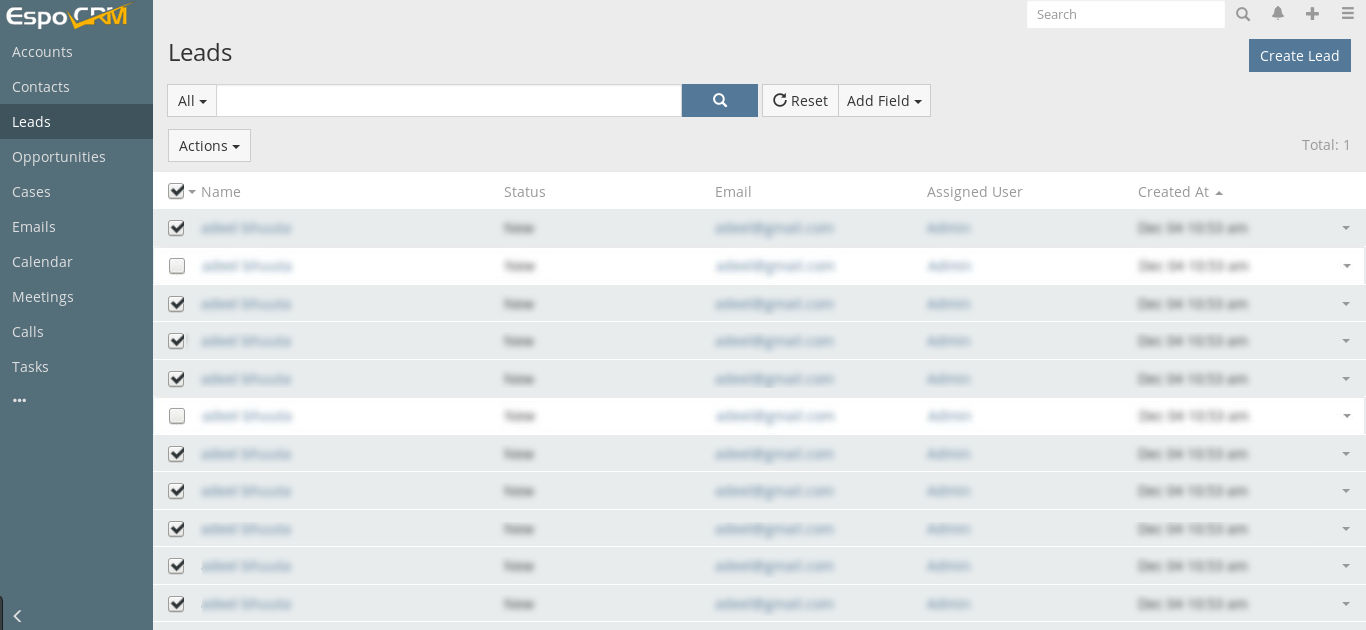
2. select your contacts
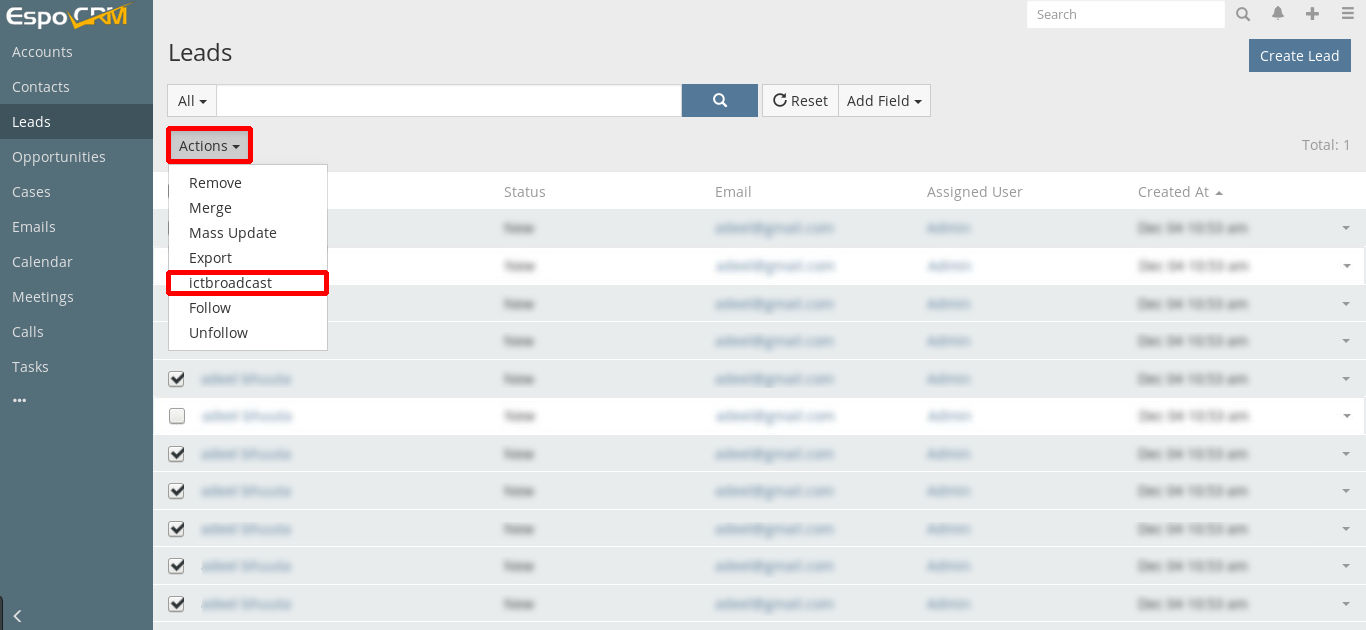
3. click on the Actions button and chose ICTBroadcast
4. Enter Contact Group name, Select Campaign type, check export all fields and save it
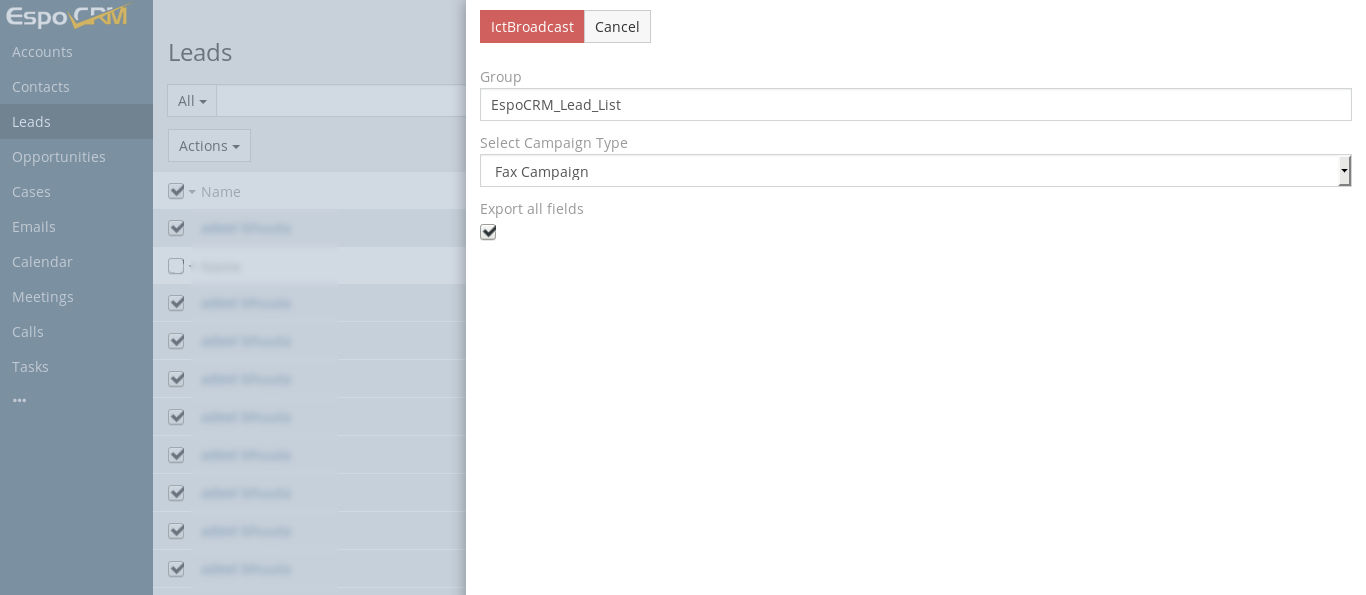
Note: You will redirect to the ICTBroadcast page
5. Enter a Campaign Name, select recording, set up other required fields, and save it
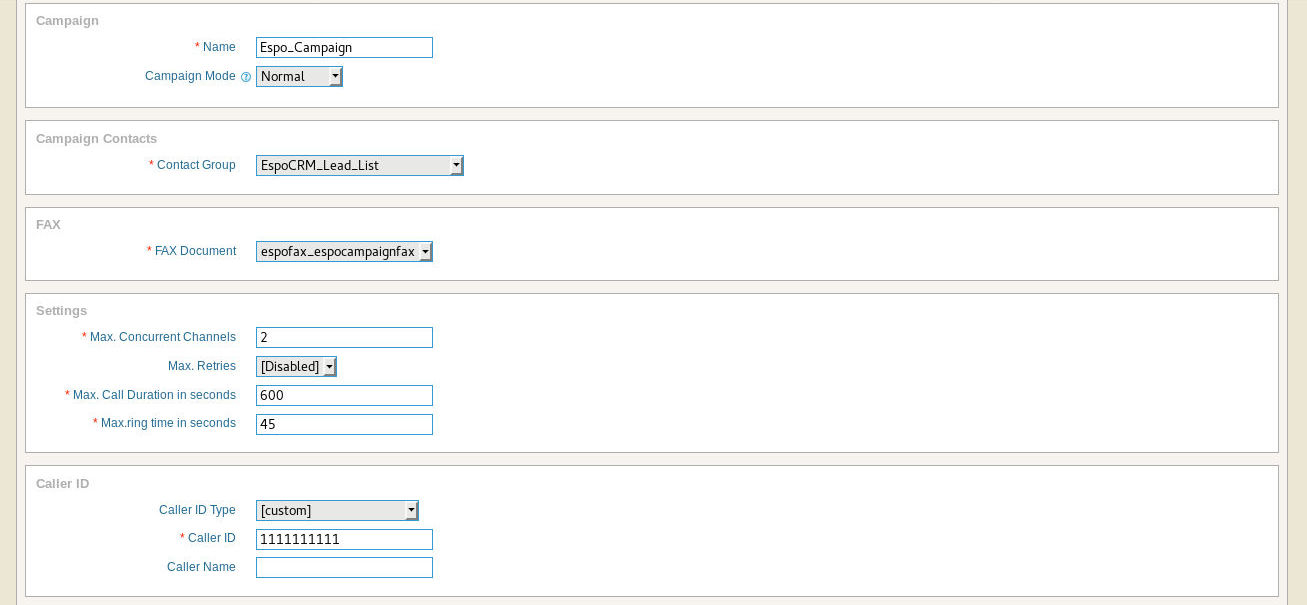
How to use ICTBroadcast Extension
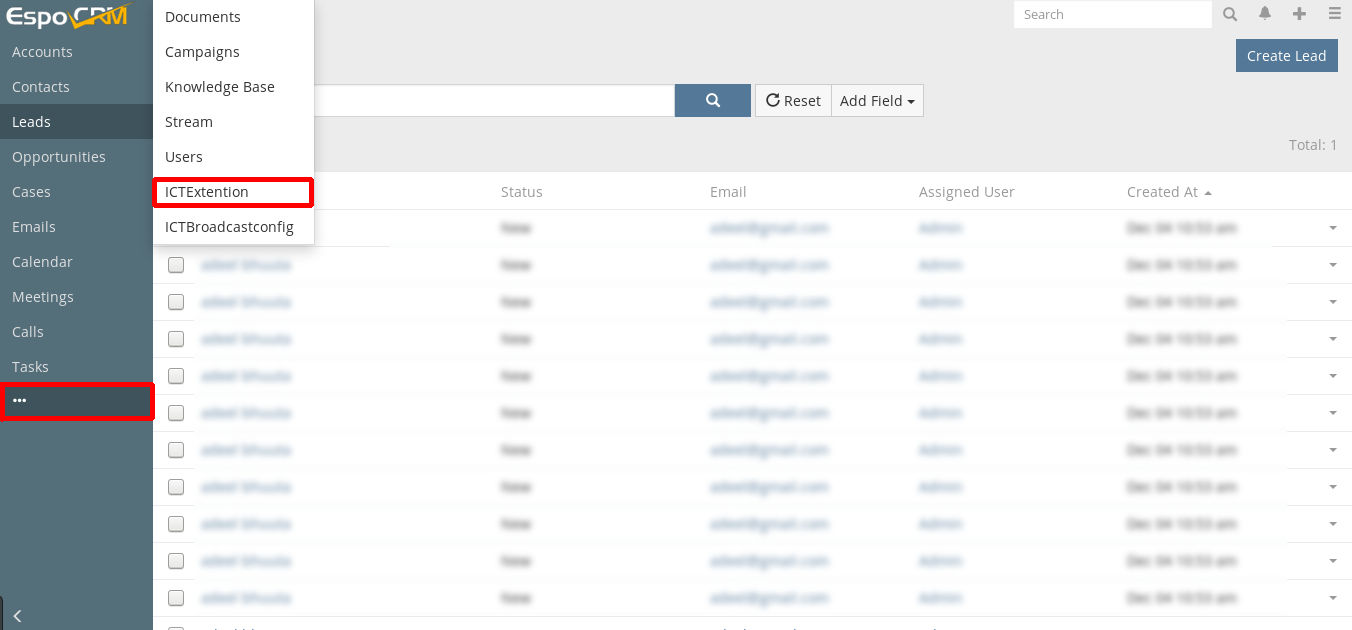
1. Goto More menu and select ICTExtension
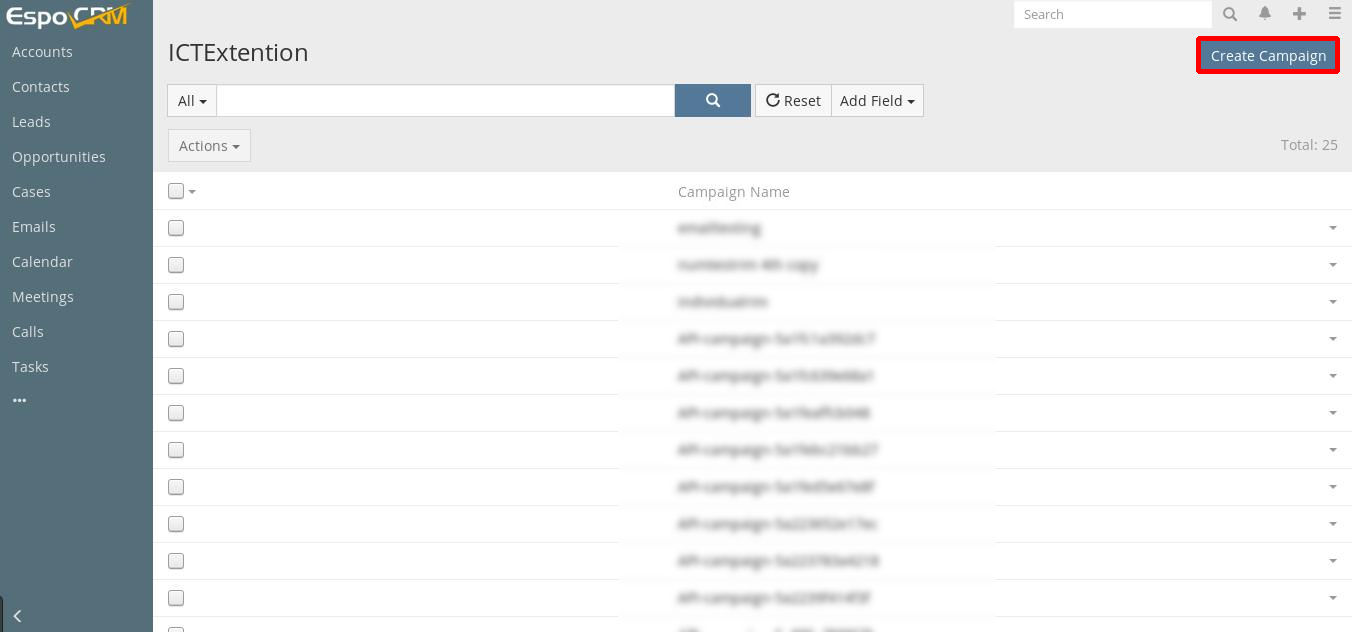
2. Click on Create Campaign
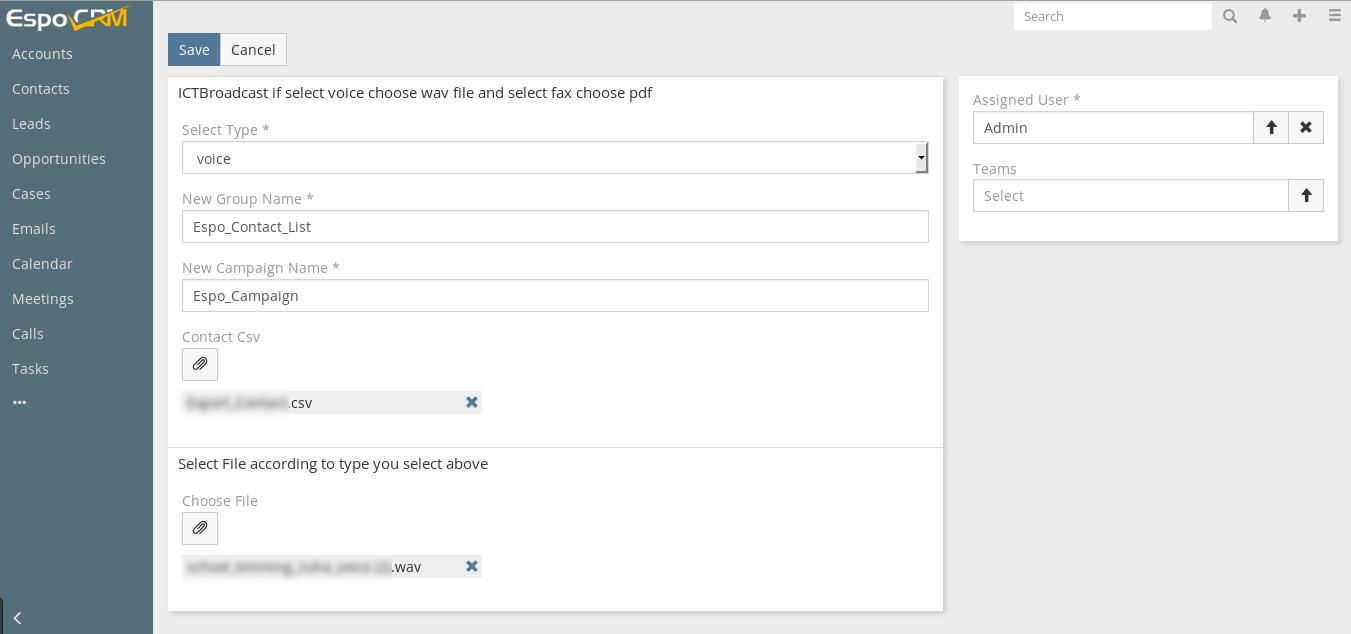
3. Select Campaign type, enter contact group, campaign name, upload contact .csv file, upload recording file, and save it.
The said integration with the use of REST APIs enables automation of the business process and enables the user to create and run campaigns directly from any CRM like SuiteCRM, VtigerCRM, EspoCRM, YetiforceCRM, Flarepoint CRM, and others.
Click here to become an Internet Telephony Service Provider to start your own business