According to Wikipedia, SugarCRM is a software company based in Cupertino, California. It produces the web application Sugar, a customer relationship management (CRM) system.
SugarCRM’s functionality includes sales-force automation, marketing campaigns, customer support, collaboration, Mobile CRM, Social CRM, and reporting.
The company operates a number of websites, including SugarCRM community edition, commercial website Sugarcrm.com and Sugar Exchange (for third-party extensions), and user forums. As of 2017, SugarCRM reported two million users.
ICTBroadcast Autodialer Application offers a full suite of telemarketing campaigns like Voice broadcasting, Fax broadcasting, SMS messaging, Survey and Polling, Appointment reminder, Press 1 campaign, Interactive Campaign, Inbound campaigns also offers REST API’s to integrate any third-party application with it to automate CRM business process and communicate with customers/contacts in an effective way. ICTBroadcast REst API offers the opportunity to integrate with any open source CRM’s like SuiteCRM, SugarCRM, EspoCRM, Yetiforce, Vtiger, flat-free, flare point CRM with ease
We have successfully integrated ICTBroadcast autodialer software with the known SugarCRM Community Edition using REST API of ICTBroadcast, the unified autodialer software.
The said integration enables the user to communicate directly with his contacts/customers directly from SugarCRM, either using general contacts lists or leads lists or opportunity lists, or others. The said integration enable automation of the business process and enable the user to create and run campaigns directly from SugarCRM Community Edition
Following are some screenshots taken from SugarCRM customer relationship management deployment after integration with ICTBRoadcast autodialer along with instructions on how to run voice broadcasting campaigns
ICTBroadcast Module Install in SuiteCRM
Install-Module ICTBroadcast
- Go to menu
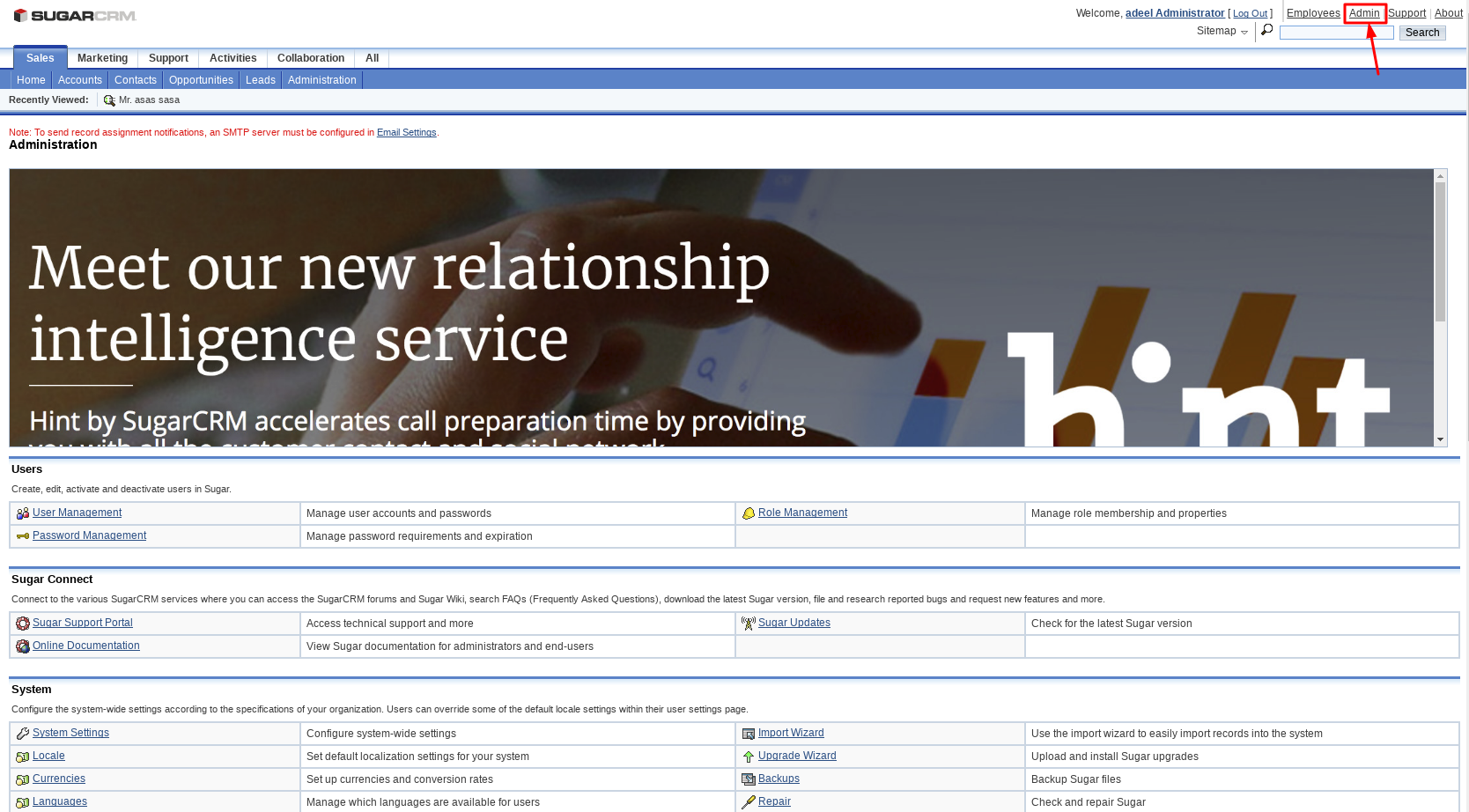
- Click Admin
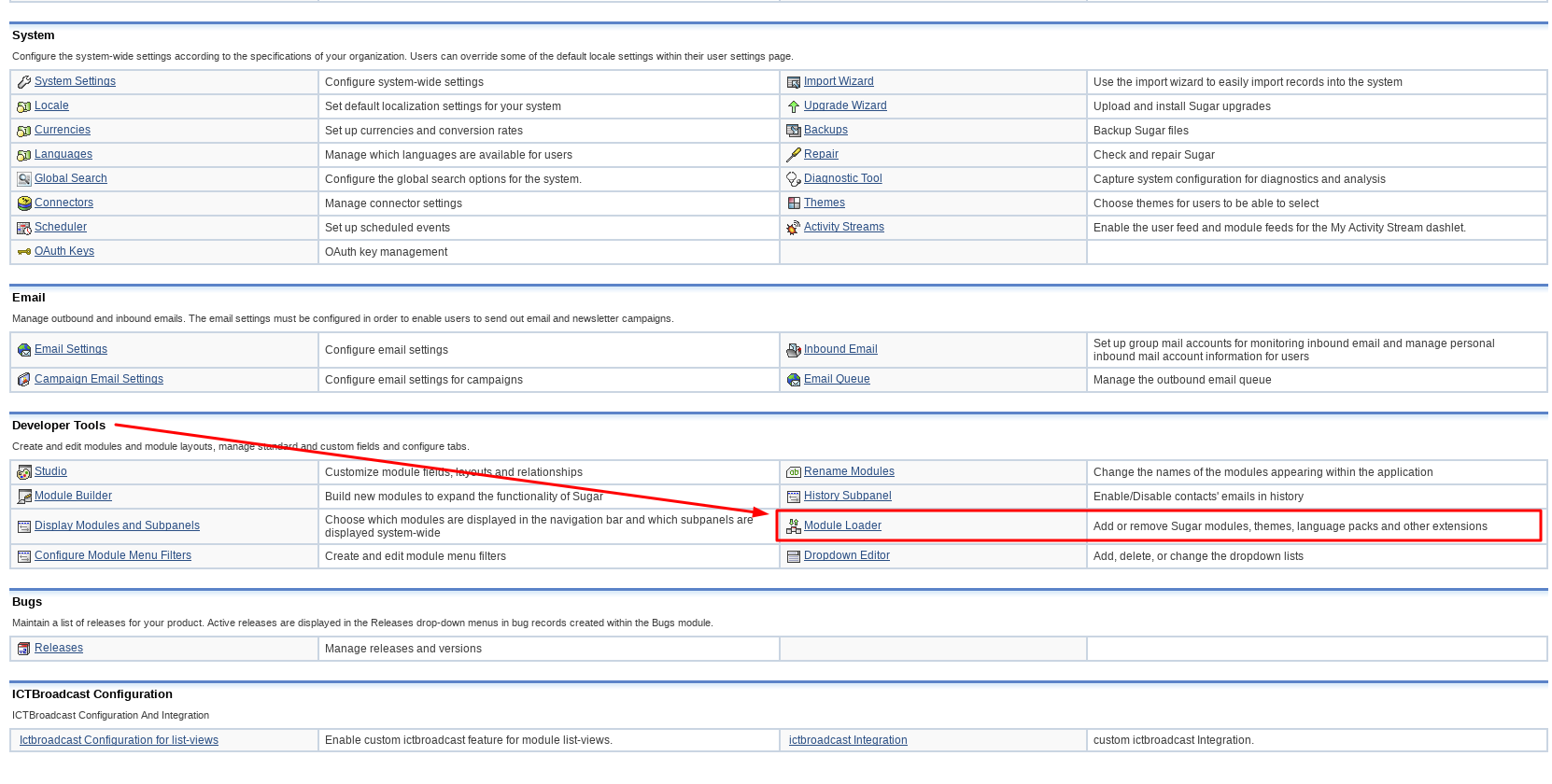
- Go to “Module Loader” in Developer Tools
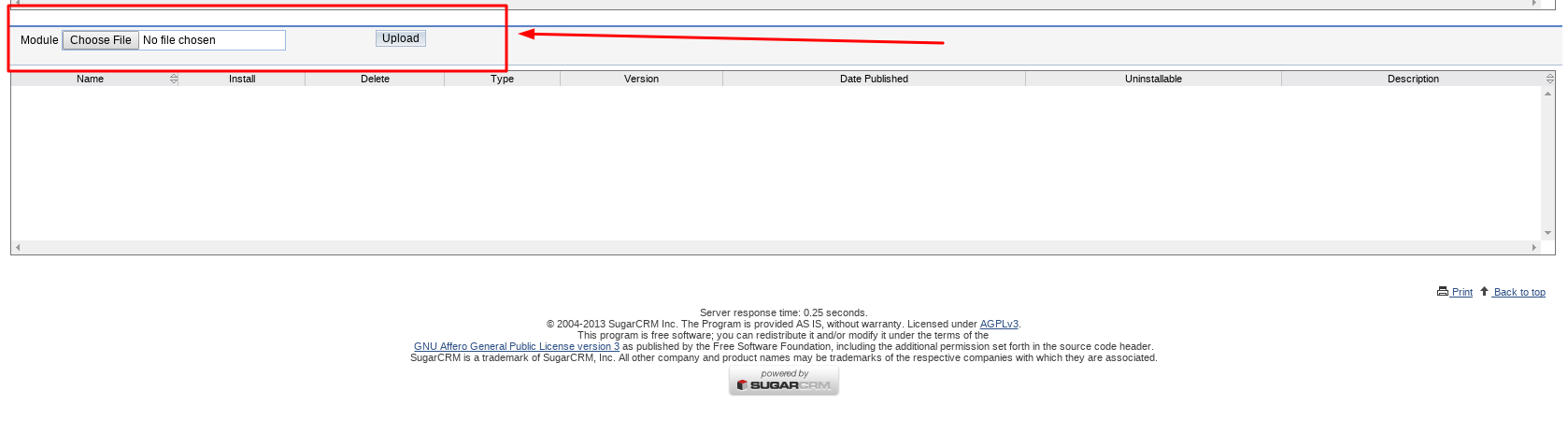
- Select Zip file ICTBroadcast Module And click “Upload” button after uploading file click Install button to install the module
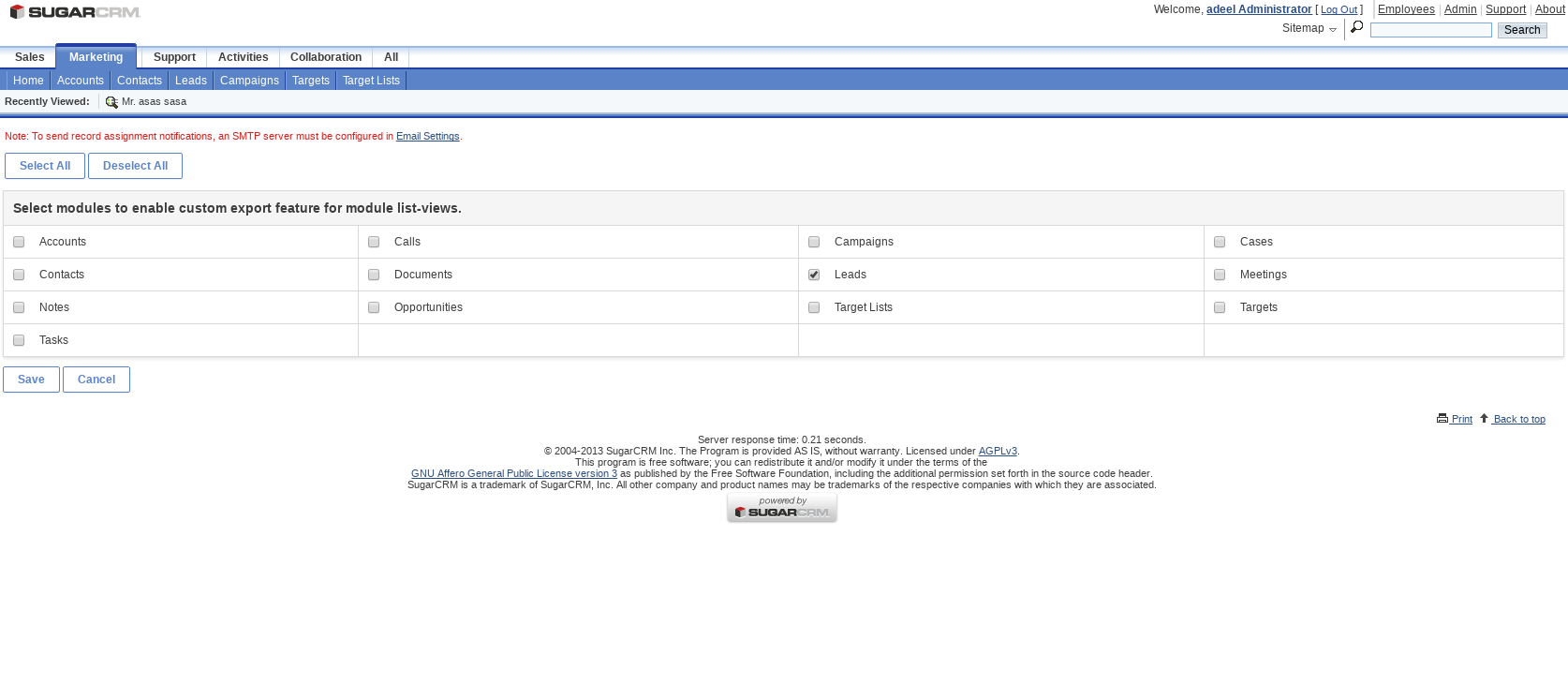
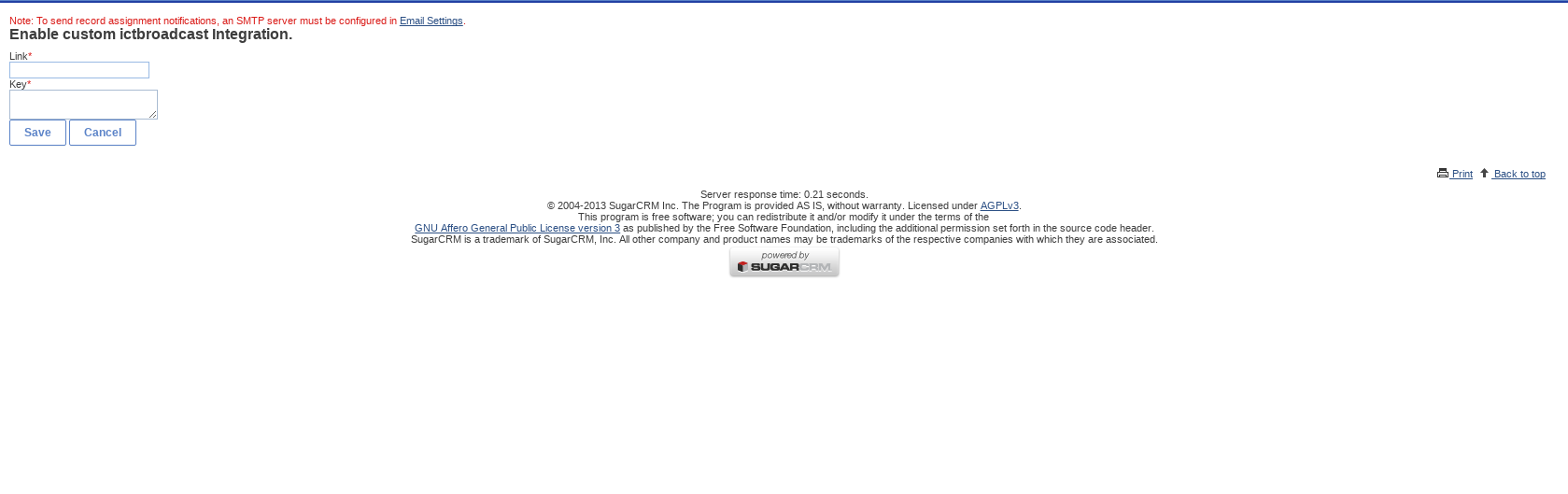
- After installation go to module configuration and setlist view and integration of ictbroadcast
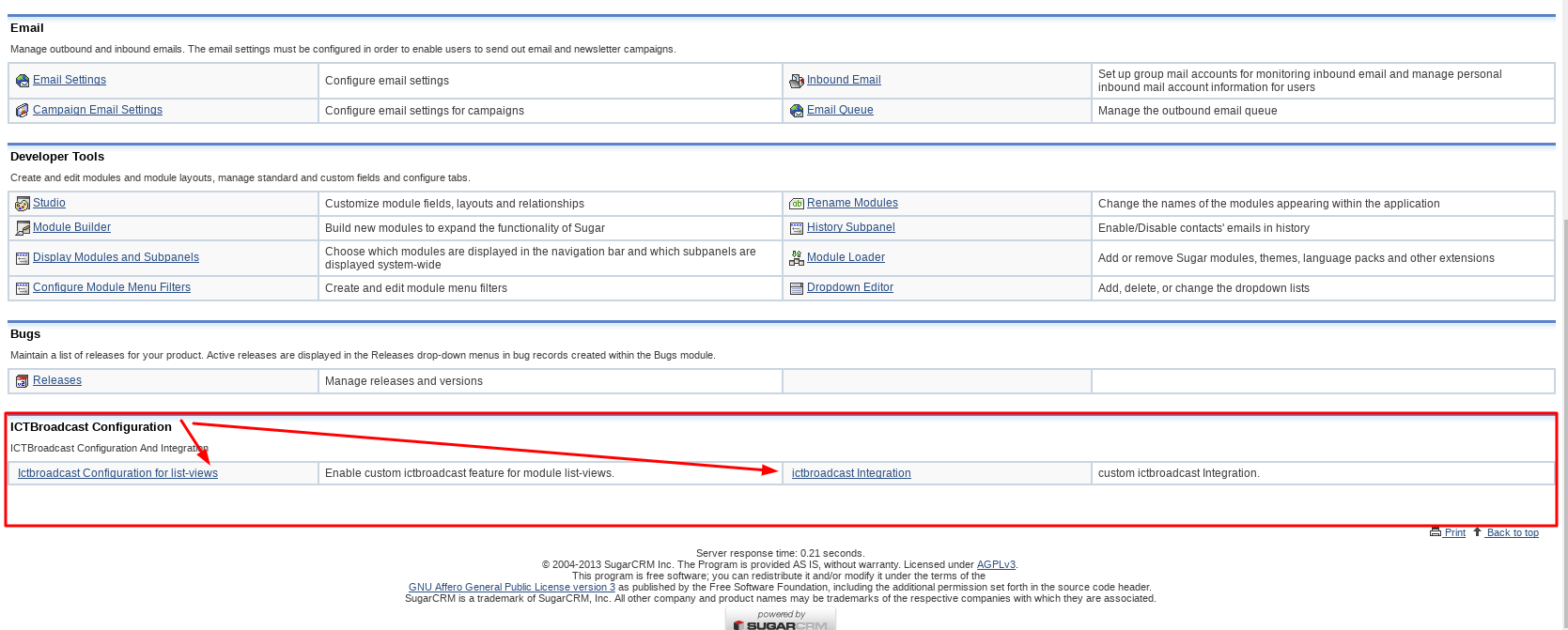
- List View
- Integration
ICTBroadcast Module Guide
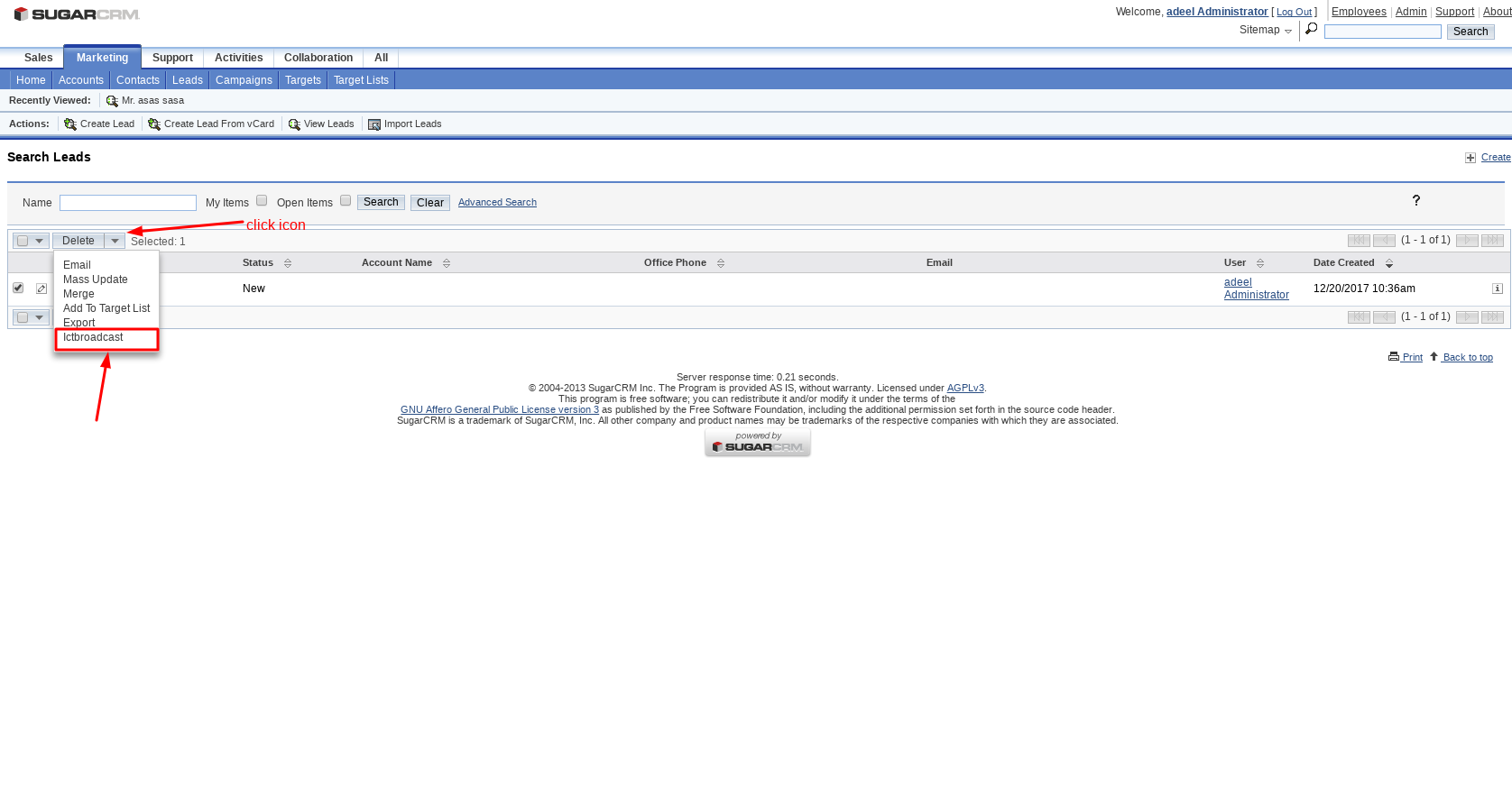
- Goto Leads menu
- select your contacts
- Click on the Bulk Action button and chose ICTBroadcast
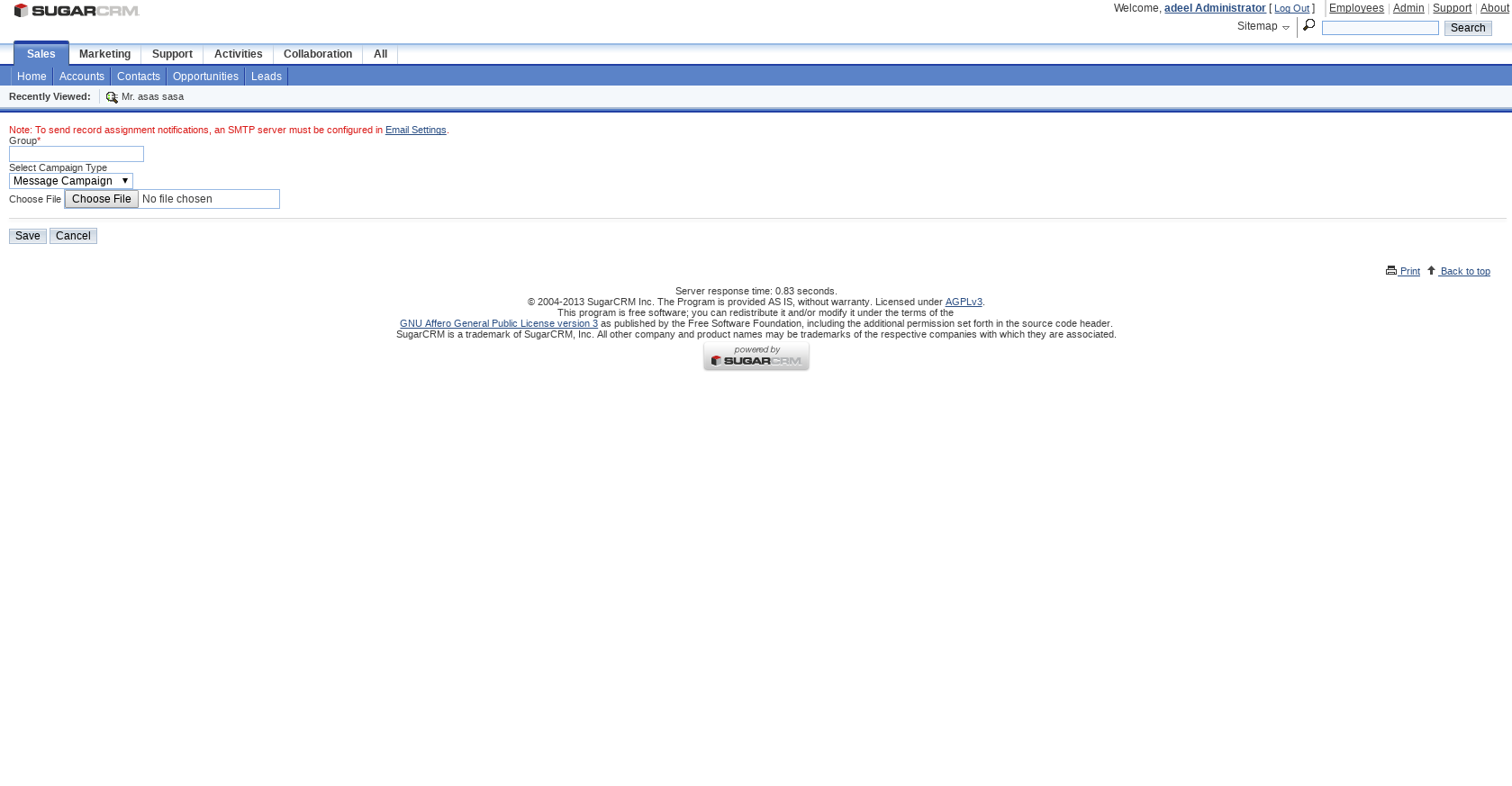
- Enter Contact Group name, Select Campaign type, and file, and save it