
ICTBroadcast Autodialer Application offers a full suite of telemarketing campaigns like Voice broadcasting, Fax broadcasting, SMS messaging, Survey and Polling, Appointment reminder, Press 1 campaign, Interactive Campaign, Inbound campaigns also it offers REST API’s to integrate any third-party application with it to automate CRM business process and communicate with customers/contacts in an effective way. ICTBroadcast REst API offers an opportunity to integrate with any open source CRM’s like SuiteCRM, SugarCRM, EspoCRM, Yetiforce, Vtiger, flat-free, flare point CRM with ease
We have successfully integrated ICTBroadcast autodialer software with known Yetiforce CRM using REST API of ICTBroadcast, the unified autodialer software.
The said integration enables the user to communicate directly with his contacts/customers directly from Yetiforce CRM, either using general contacts lists or leads lists or opportunity lists, or others. The said integration enable automation of the business process and enable the user to create and run campaigns directly from YetiforceCRM
Following are some screenshots taken from Yetiforce CRM customer relationship management deployment after integration with ICTBRoadcast autodialer along with instructions on how to run voice broadcasting campaigns
ICTBroadcast Module Guide
Go to menu
1. go to Leads Menu
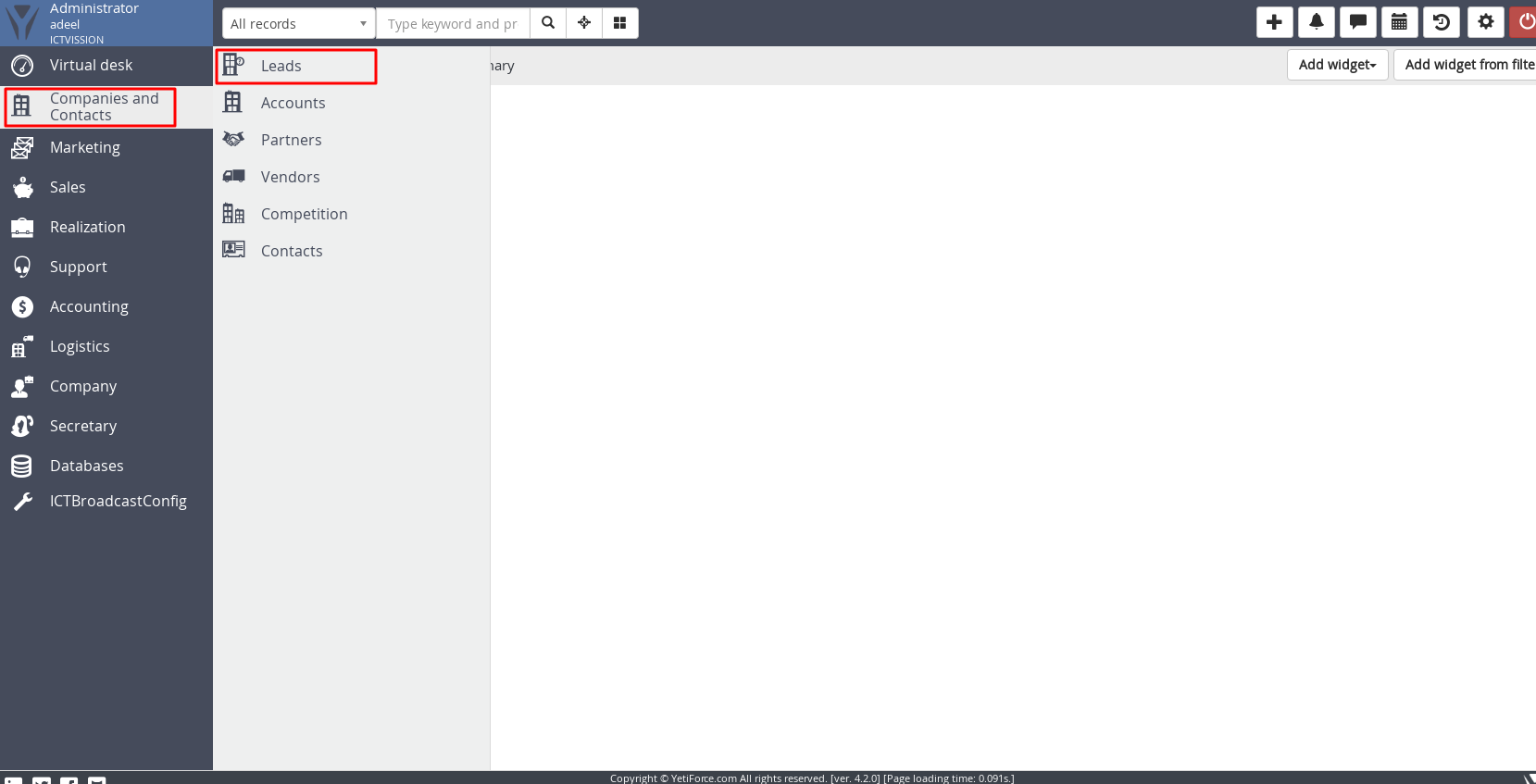
2. Select Leads
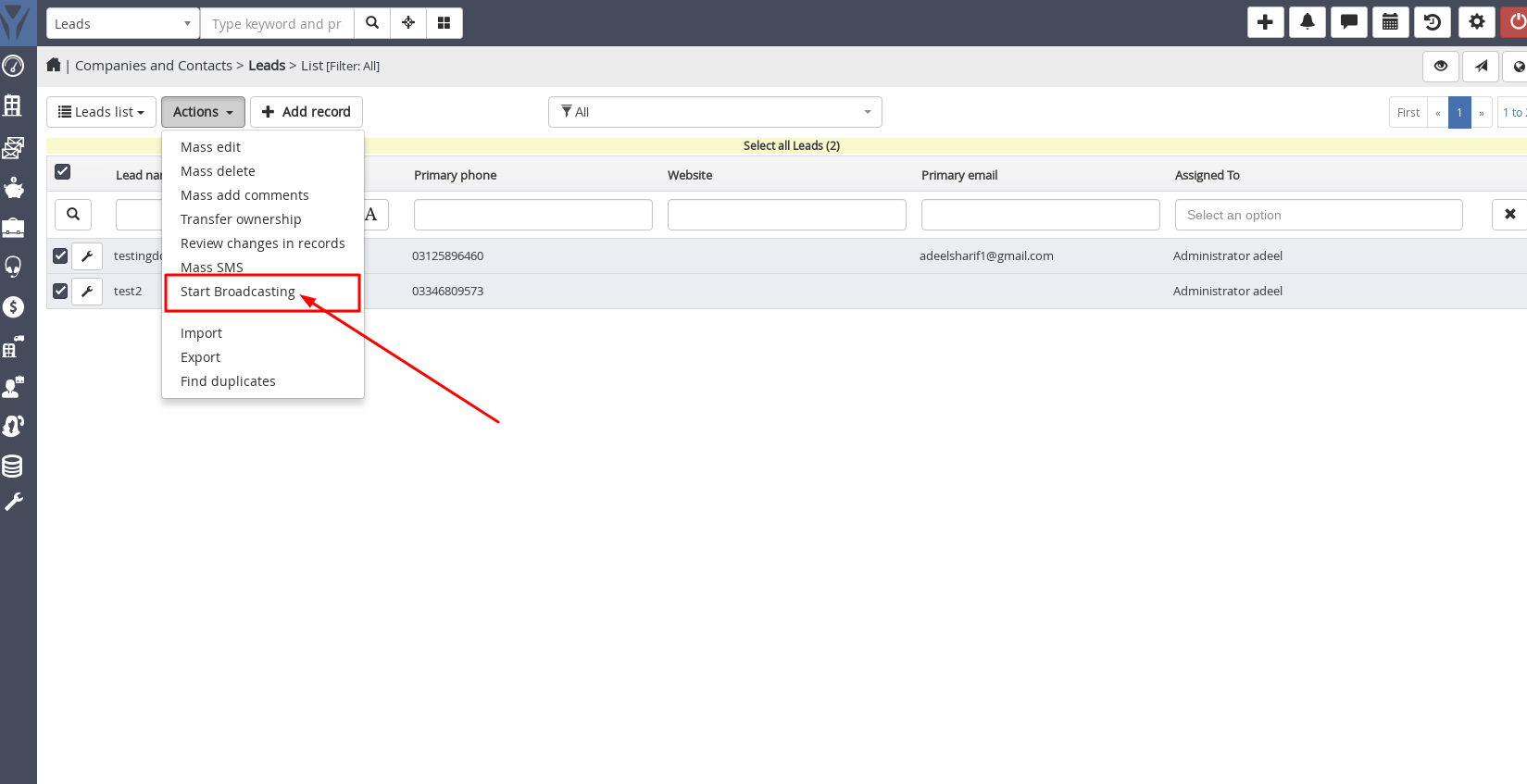
3. Click Actions Button Place at the top of the list
4. Click Start Broadcasting
5. Enter Contact Group Name, select campaign type, Upload your message, and click on the Send Button
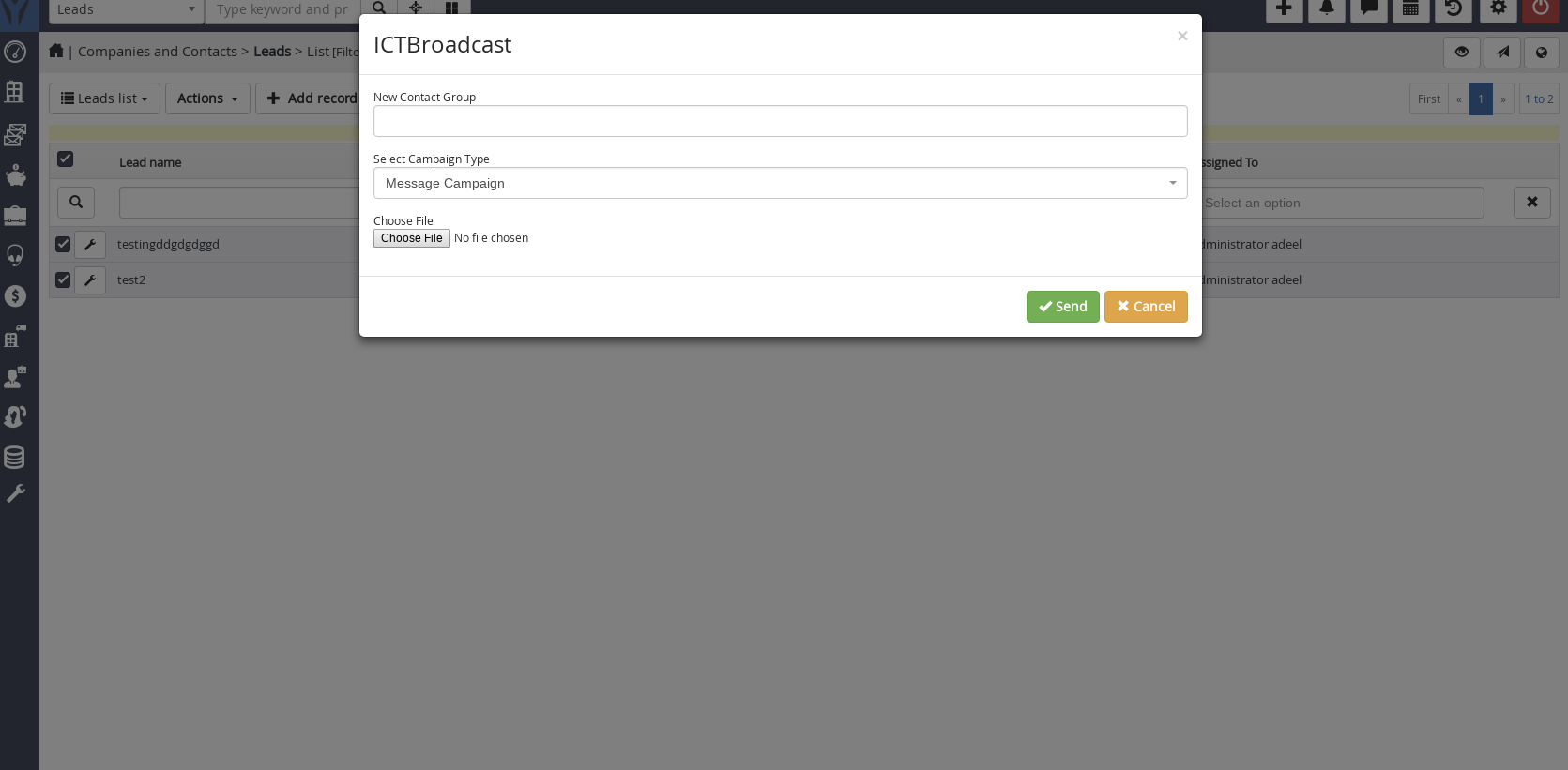
Note : For Message / Press 1 Campaign, upload .wav file and for Fax Camapign, upload .tiff / .pdf file
ICTBroadcast Module Guide
Go to menu
1. Go to Leads Menu
2. Select Leads
3. Click Actions Button Place at the top of the list
4. Click Start Broadcasting
5. Enter Contact Group Name, select campaign type, Upload your message, and click on the Send Button
Note : For Message / Press 1 Campaign, upload .wav file and for Fax Camapign, upload .tiff / .pdf file
The said integration with the use of REST API’s enable automation of the business process and enable the user to create and run campaigns directly from any CRM like SuiteCRM, VtigerCRM, EspoCRM, SugarCRM Community Edition
, YetiforceCRM, Flarepoint CRM, and others.
Click here to become an Internet Telephony Service Provider to start your own business